
When it comes to managing your tasks and boosting productivity, choosing the right app can make all the difference. You might be wondering: should you go with Todoist or OmniFocus 4?
Both are powerful tools, but they serve different needs and work styles. If you want a simple, clean interface that works across all your devices and makes team collaboration easy, Todoist might be exactly what you need. On the other hand, if you’re deeply embedded in the Apple ecosystem and crave detailed customization, OmniFocus 4 could be your go-to. Ready to find out which one fits your life better? Let’s dive into a clear comparison that will help you take control of your to-do list once and for all. If you’re leaning towards simplicity and flexibility, check out Todoist here and see how it can bring clarity to your daily grind.
Credit: thesweetsetup.com
Introduction To Todoist And Omnifocus 4
Choosing the right task manager can boost your productivity and reduce stress. Todoist and OmniFocus 4 are two popular tools designed to help users organize tasks effectively. Both offer unique features that cater to different productivity styles and needs.
This section introduces these two apps, explaining their core functions and the reasons to compare them.
Overview Of Todoist: Purpose And Core Functionality
Todoist is a simple yet powerful task manager used by over 50 million people worldwide. Its main goal is to help users clarify their work and life tasks with ease.
- Supports task creation with due dates and priorities.
- Offers project organization with labels and filters.
- Allows collaboration through shared projects and comments.
- Cross-platform access: available on desktop, mobile, and web.
- Integrates with calendars and other productivity tools.
Todoist’s interface is clean and user-friendly, making it suitable for beginners and busy professionals.
Overview Of Omnifocus 4: Purpose And Core Functionality
OmniFocus 4 targets Apple users who want deep customization and detailed task management. It follows the Getting Things Done (GTD) method, ideal for managing complex workflows.
- Offers multiple views to organize tasks by project, context, or tags.
- Supports nested tasks and subtasks for detailed planning.
- Includes powerful automation and scripting options.
- Syncs seamlessly across Apple devices.
- Provides advanced notifications and reminders.
OmniFocus 4 suits users who prefer an advanced, Apple-centric productivity system.
Why Compare These Two Task Managers?
Both Todoist and OmniFocus 4 help users organize tasks but differ in complexity and target audience.
| Feature | Todoist | OmniFocus 4 |
|---|---|---|
| Ease of Use | Simple and intuitive | Complex with steep learning curve |
| Platform Support | Cross-platform (iOS, Android, Web, Desktop) | Apple devices only |
| Customization | Basic filters and labels | Advanced views and automation |
| Best For | General users and teams | Apple power users and GTD followers |
Comparing these apps helps users pick the right tool based on their needs, platform, and workflow preferences.
Key Features That Differentiate Todoist And Omnifocus 4
Todoist and OmniFocus 4 serve different types of users with unique strengths. Understanding their key features helps choose the right tool. These features cover platform availability, task management, collaboration, natural language input, and advanced task views.
Platform Availability: Cross-platform Flexibility Vs. Apple-centric Design
Todoist works on almost every device. It supports Windows, macOS, Android, iOS, and web browsers. This flexibility suits users who switch between different systems.
OmniFocus 4 is designed mainly for Apple users. It runs on macOS, iOS, and iPadOS only. Its deep integration with Apple’s ecosystem offers smooth performance but limits access for non-Apple users.
Task Management And Organization: Simplicity Vs. Customization
Todoist offers a clean, simple interface. Users create projects, sub-projects, and tasks with ease. Labels, filters, and priorities help organize tasks without overwhelming complexity.
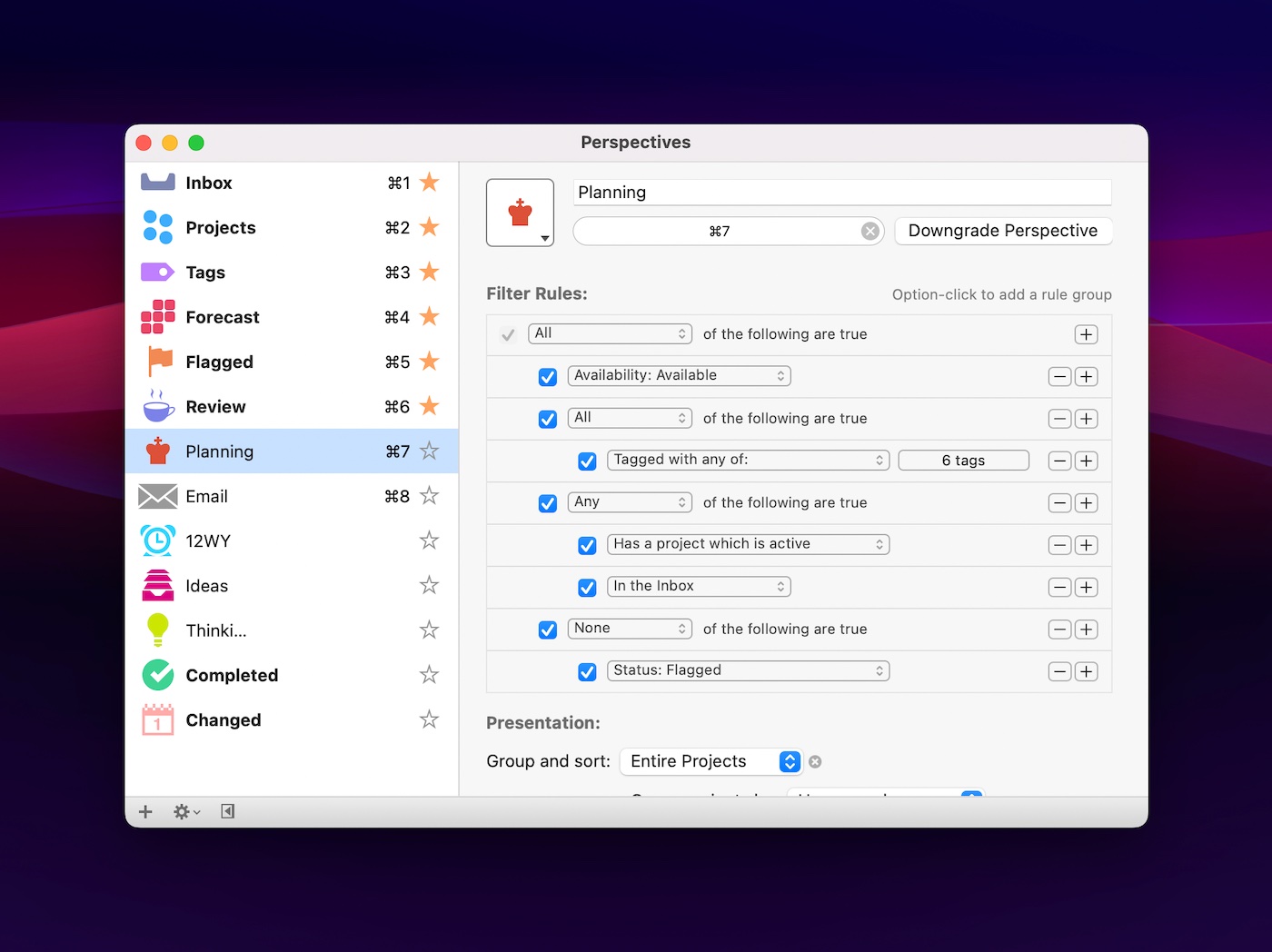
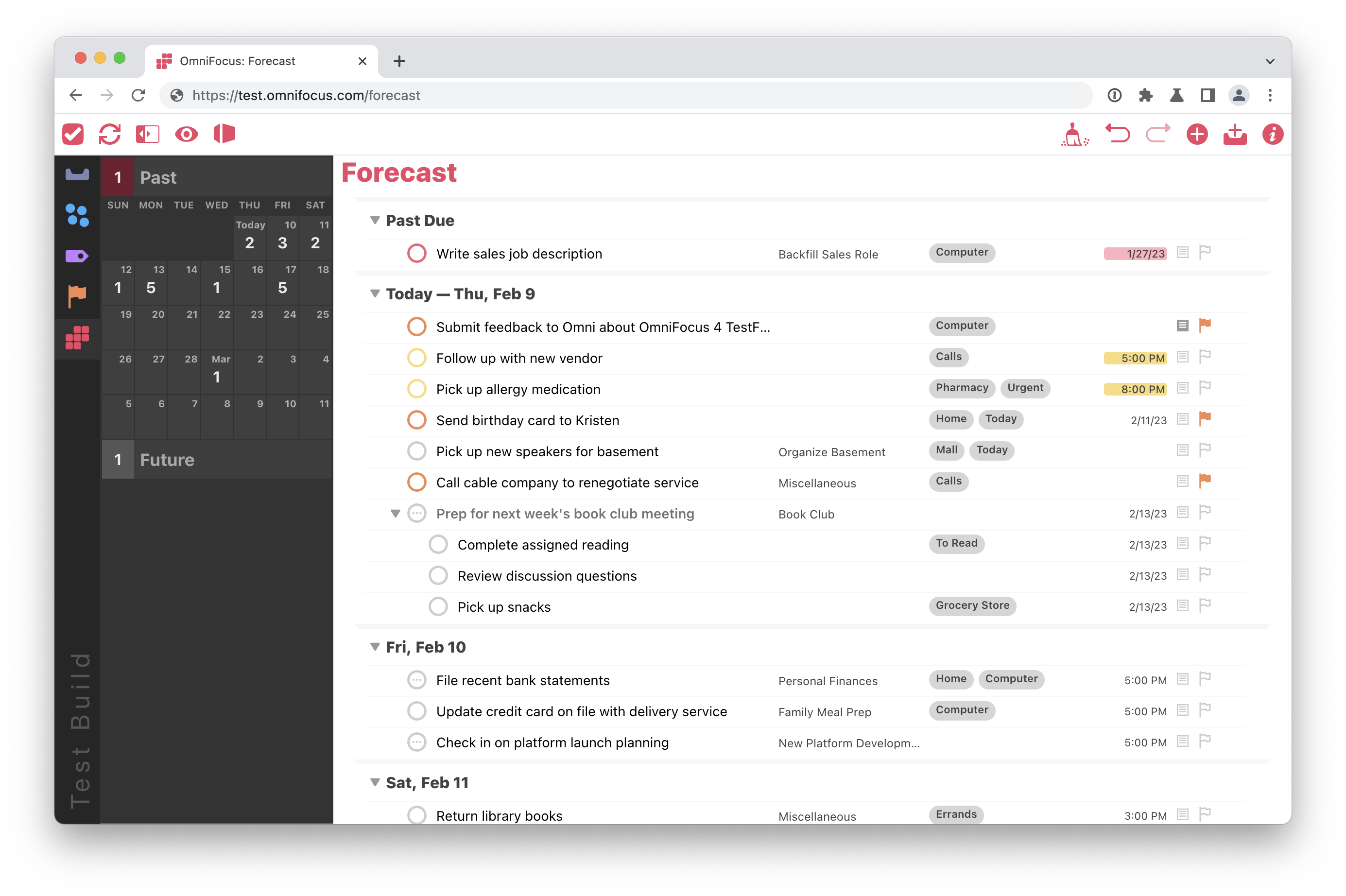
OmniFocus 4 focuses on customization. Users build complex task hierarchies, use contexts, perspectives, and defer dates. It fits users who want detailed control over how tasks are organized.
Collaboration Capabilities: Teamwork In Todoist Vs. Personal Productivity In Omnifocus
Todoist supports real-time collaboration. Teams can share projects, assign tasks, and comment. This makes it ideal for group projects and business use.
OmniFocus 4 targets individual productivity. It lacks built-in team features. Its strength lies in personal task management, not teamwork.
Natural Language Input: Speed And Ease Of Task Creation
Todoist excels in natural language input. Users type commands like “Meeting tomorrow at 3pm” and the app sets the task and due date automatically. This speeds up task entry.
OmniFocus 4 supports natural language but is less intuitive. Task creation is powerful but requires more manual input, especially for complex projects.
Advanced Task Views And Filtering: Omnifocus’s Custom Filters Vs. Todoist’s Intuitive Interface
| Feature | Todoist | OmniFocus 4 |
|---|---|---|
| Task Views | Simple, clean list and board views | Highly customizable perspectives and outlines |
| Filtering | Easy filters by labels, priority, and date | Custom filters using complex criteria and scripts |
| User Interface | Intuitive and beginner-friendly | Advanced and detailed, suited for power users |
Todoist’s interface is straightforward, making task management fast and clear. OmniFocus offers deep filtering and views for users who need precise focus and control.
Pricing And Affordability Breakdown
Choosing the right task manager depends on budget and features. This section compares Todoist and OmniFocus 4 pricing options. Both apps offer plans for different needs. Understanding costs helps pick the best fit for work or personal use.
Todoist Pricing Plans: Free, Pro, And Business Options
Todoist has three main pricing tiers designed for various users:
- Free: Basic task management with limited features.
- Pro: Enhanced tools like reminders, labels, and filters.
- Business: Team collaboration with admin controls and shared projects.
| Plan | Cost | Main Features |
|---|---|---|
| Free | $0 | Up to 80 active tasks, basic task creation, and simple project views |
| Pro | $4/month (billed annually) | Task reminders, labels, filters, comments, file uploads, productivity trends |
| Business | $6/user/month (billed annually) | Team projects, admin roles, team inbox, priority support, and billing management |
Omnifocus 4 Pricing: Subscription And One-time Purchase Models
OmniFocus 4 offers flexible payment styles for Apple users:
- Subscription: Monthly or yearly plans with full app access.
- One-Time Purchase: Buy a license for either the Standard or Premium version.
| Model | Cost | Main Features |
|---|---|---|
| Subscription | $4.99/month or $49.99/year | Access to all OmniFocus 4 features, automatic updates |
| One-Time Purchase – Standard | $99.99 | Core task management with basic views and sync |
| One-Time Purchase – Premium | $149.99 | Advanced features like tags, custom perspectives, and automation |
Value For Money: What You Get At Each Price Point
Todoist Free suits casual users who want simple to-do lists. It limits the number of active tasks and lacks advanced reminders.
Todoist Pro
Business
OmniFocus Subscription
One-Time Purchase Standard
Premium One-Time Purchase
| Price Range | Best For | Key Benefits |
|---|---|---|
| Free (Todoist) | Basic users | Simple task creation, no cost |
| $4/month (Todoist Pro) | Individuals needing reminders and filters | Advanced task organization, productivity tracking |
| $6/user/month (Todoist Business) | Teams | Collaboration, admin controls, priority support |
| $4.99/month or $49.99/year (OmniFocus Subscription) | Apple users wanting updates | Full features, automatic updates |
| $99.99 (OmniFocus Standard) | Apple users preferring one-time buy | Basic features with no subscription |
| $149.99 (OmniFocus Premium) | Power users | Advanced customization and automation |
Pros And Cons Based On Real-world Usage
Choosing the right task manager depends on how it fits daily needs. Both Todoist and OmniFocus 4 shine in different areas. Real users share insights about their strengths and weaknesses. This section breaks down the key pros and cons based on actual experience.
Todoist Advantages: Accessibility, Collaboration, And Ease Of Use
Todoist stands out for its simple design and broad accessibility. It works smoothly across many devices including Windows, Mac, Android, and iOS.
- Accessibility: Access tasks anytime, anywhere with cloud syncing.
- Collaboration: Share projects and assign tasks easily among teams.
- Ease of Use: Intuitive interface requires little time to learn.
These features help users focus on task completion rather than tool management. Todoist suits individuals and teams needing quick setup without technical hurdles.
Todoist Limitations: Depth And Customization Constraints
Todoist’s simplicity brings some limitations. It lacks deep customization options found in advanced tools.
- Limited support for complex workflows and nested projects.
- Fewer advanced automation features compared to power-user apps.
- No built-in support for advanced task perspectives or contexts.
Users seeking detailed control over task organization might find Todoist somewhat basic. It focuses more on simplicity than depth.
Omnifocus 4 Strengths: Powerful Gtd Support And Deep Customization
OmniFocus 4 excels at supporting the Getting Things Done (GTD) method. It offers rich customization for serious task managers.
| Feature | Benefit |
|---|---|
| Custom Perspectives | Create tailored views for focused task tracking |
| Task Hierarchies | Manage complex projects with multiple levels |
| Advanced Automation | Automate repetitive workflows with scripting |
This depth suits users who follow GTD and want every detail managed precisely. OmniFocus adapts to varied productivity styles.
Omnifocus 4 Drawbacks: Learning Curve And Platform Restrictions
OmniFocus 4 requires time to learn fully. Its many features can overwhelm beginners.
- Steeper learning curve compared to simpler apps.
- Available only on Apple devices (macOS, iOS).
- Higher cost with premium pricing plans.
This restricts its use to Apple power users willing to invest time and money. Cross-platform teams may find it limiting.
Ideal Users And Use Cases For Each Task Manager
Choosing the right task manager depends on your device preferences, workflow style, and team needs. Todoist and OmniFocus 4 serve different audiences and use cases. Both tools help organize tasks, but each has unique strengths. Understanding who benefits most from each app helps find the best fit for daily productivity.
Who Should Choose Todoist: Cross-platform Users And Teams
Todoist suits users who work across multiple devices and platforms. It supports Windows, Mac, iOS, Android, and web browsers, making it accessible anywhere.
- Teams: Real-time collaboration and shared projects simplify group task management.
- Casual to moderate users: Easy to add tasks and track progress without complex setup.
- Users who want flexibility: Features like labels, filters, and reminders are simple yet powerful.
Todoist fits well for people who want a clean interface with essential productivity features. Its integration with calendars and popular apps boosts workflow efficiency.
Who Should Opt For Omnifocus 4: Apple Power Users And Gtd Enthusiasts
OmniFocus 4 is designed for Apple users who prefer deep customization and detailed task management. It works exclusively on macOS, iOS, and iPadOS.
- Power users: Need advanced organization like perspectives, project hierarchies, and tags.
- GTD (Getting Things Done) followers: The app’s structure aligns with GTD principles for task capture, processing, and review.
- Users who want automation: Supports scripting and shortcuts for personalized workflows.
OmniFocus excels in handling complex projects and detailed task breakdowns. It is ideal for users who want maximum control over their task system.
Migrating Between Apps: When And How To Switch Effectively
Switching between Todoist and OmniFocus requires planning to avoid losing data. Migration is common when user needs or platforms change.
- Export data: OmniFocus allows exporting tasks as CSV files.
- Prepare data: Clean up and format the exported CSV for importing into Todoist.
- Import tasks: Use Todoist’s import tools or third-party scripts to upload tasks.
- Review and organize: Recreate project structures and labels in the new app.
- Test workflows: Ensure reminders, priorities, and due dates carry over correctly.
Migration works best when done gradually. Keep both apps active during the transition for smooth adjustment.
Credit: www.omnigroup.com
Conclusion: Making The Right Choice For Your Productivity
Choosing between Todoist and OmniFocus 4 depends on your work style and needs. Both tools boost productivity but serve different types of users. Understanding their strengths and trade-offs helps pick the best fit for your daily tasks and long-term goals.
Summarizing The Strengths And Trade-offs
| Feature | Todoist | OmniFocus 4 |
|---|---|---|
| User Friendliness | Simple, clean interface, easy for beginners | Complex, suited for Apple power users |
| Customization | Basic customization, themes, task labels | Highly customizable, detailed project views |
| Platform Support | Cross-platform: iOS, Android, web, desktop | Apple ecosystem only (macOS, iOS) |
| Pricing | Free tier available; Pro version affordable | Expensive, no free tier |
| Task Management Style | Straightforward task lists and reminders | Advanced GTD method support, detailed task hierarchy |
Final Recommendations Based On User Needs And Preferences
- Todoist suits users wanting a clean, simple task manager.
- Works well for those needing cross-platform access and basic features.
- OmniFocus 4 fits users deeply invested in Apple devices.
- Ideal for users following the Getting Things Done (GTD) method.
- Recommended for people who want full control over task details.
Choose Todoist for easy setup and broad device support. Pick OmniFocus 4 for advanced project management within Apple’s ecosystem.
Future Outlook: Updates And Improvements To Watch For
- Todoist plans to improve calendar integration and add more automation features.
- Expect enhancements in reminders and task duration tracking.
- OmniFocus 4 may expand syncing speed and improve user interface clarity.
- Watch for deeper integration with Apple’s ecosystem and new customization tools.
Both apps continue evolving to meet user demands and improve productivity experiences.

Credit: www.youtube.com
Frequently Asked Questions
What Is The 1/3/5 Rule In Todoist?
The 1/3/5 rule in Todoist means planning one big, three medium, and five small tasks daily. It boosts focus and productivity.
Is Todoist Still Worth It?
Todoist remains worth it for users needing cross-platform access, team collaboration, and a simple, intuitive task manager. Its features boost productivity efficiently.
Is Omnifocus Any Good?
OmniFocus excels as a powerful, Apple-only task manager. It suits users who want deep customization and follow the Getting Things Done method. It lacks easy collaboration and is not ideal for beginners or cross-platform use.
How Do I Migrate From Omnifocus To Todoist?
Export tasks from OmniFocus as a CSV file. Use a migration script or manually import tasks into Todoist. Verify and organize projects afterward.
Conclusion
Choosing between Todoist and OmniFocus 4 depends on your needs. Todoist works on many devices, making it easy to access tasks anywhere. It supports teamwork well, helping groups stay organized together. OmniFocus suits Apple users who want deep customization for personal tasks. Both apps help you stay productive and focused daily. For a simple, flexible tool that fits most users, try Todoist. It brings clarity and order to your busy life without complexity.
