
Struggling to keep your tasks organized and your productivity on track? You’re not alone.
When it comes to managing your to-do lists, choosing the right app can make all the difference. Should you go with Todoist, a powerful tool designed for serious productivity and team collaboration? Or is Google Tasks, with its simple and free integration into the Google ecosystem, enough for your needs? If you want clarity and control over your busy schedule, understanding the key differences between Todoist and Google Tasks is essential. Whether you’re handling complex projects or just need a quick way to capture tasks, this comparison will help you find the perfect fit for your workflow. Ready to discover which app can transform your productivity? Check out Todoist here and see why over 50 million professionals trust it to simplify their work and life. Keep reading to find out which task manager suits you best!
Introduction To Todoist And Google Tasks
Choosing the right task manager shapes your daily productivity. Todoist and Google Tasks stand out as popular options. Each serves different needs and styles. Understanding their strengths helps pick the best fit for your workflow.
Overview Of Todoist: Purpose And Target Audience
Todoist targets users who need a powerful tool for organizing complex tasks and projects. It suits individuals and teams aiming for serious productivity.
- Offers advanced features like custom filters and reminders
- Supports robust organization with projects, labels, and priorities
- Enables strong team collaboration and extensive app integrations
- Uses natural language input for quick task creation
Todoist works well for professionals managing multiple projects or collaborating in teams.
Overview Of Google Tasks: Purpose And Target Audience
Google Tasks is a simple, free task manager deeply integrated into the Google ecosystem. It fits users who prefer minimal setup and use tasks inside Gmail and Google Calendar.
- Easy to create and manage quick personal to-do lists
- Seamless integration with Gmail and Google Calendar
- Simple interface with basic task features
- Best for users who want no-fuss, straightforward task tracking
Google Tasks suits casual users or those already using Google apps daily.
Why Comparing Todoist And Google Tasks Matters For Productivity Fans
Both apps help users stay organized, but their goals differ. Comparing them shows:
- Which app fits your task complexity and team needs
- How integration with other tools affects your workflow
- What features you gain or lose moving between apps
Understanding these points leads to better productivity choices tailored to your style.
Key Features Of Todoist And Their Benefits
Todoist stands out as a versatile task management tool designed for both individuals and teams. Its features focus on clarity and efficiency, allowing users to organize tasks, collaborate, and track progress with ease. These features help increase productivity by simplifying complex workflows and ensuring important tasks never get missed.
Robust Organization: Projects, Labels, Filters, And Priorities
Todoist offers multiple ways to organize your tasks effectively:
- Projects: Group tasks by project for clear structure.
- Labels: Tag tasks to add context or categorize across projects.
- Filters: Create custom views to focus on specific tasks.
- Priorities: Assign priority levels to highlight critical tasks.
This system helps users manage large workloads by breaking tasks into manageable parts.
Natural Language Input For Quick Task Creation
Todoist supports natural language input, letting you type tasks like “Meeting tomorrow at 3pm.” The app automatically sets the due date and time. This speeds up task entry and reduces errors.
Advanced Team Collaboration And Delegation
Todoist allows smooth team collaboration with features like:
- Task assignment to team members.
- Comments on tasks for clear communication.
- Shared projects that keep everyone updated.
Teams stay aligned and complete projects on time through easy delegation.
Customizable Reminders Including Location And Time-based Alerts
Users get reminders based on time or location:
- Time-based alerts: Notifications at specific dates and times.
- Location-based reminders: Alerts triggered when arriving or leaving a place.
These reminders help prevent missed deadlines and important tasks.
Extensive Integrations With Third-party Apps And Services
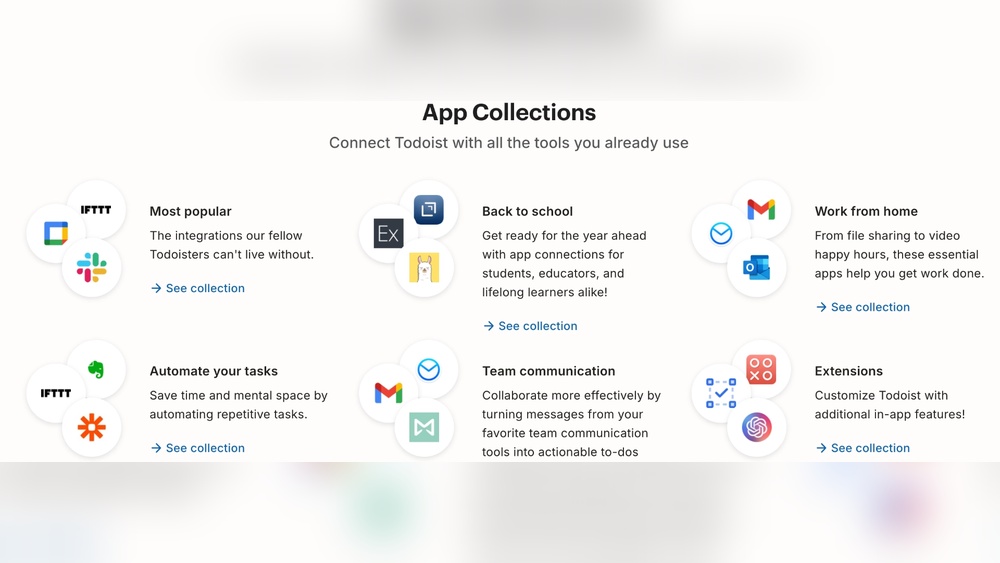
Todoist connects with many popular apps such as:
| App/Service | Benefit |
|---|---|
| Google Calendar | Sync tasks with your calendar events. |
| Slack | Receive task updates and create tasks from chats. |
| Zapier | Automate task creation across apps. |
These integrations keep your workflow connected and streamlined.
Productivity Tracking And Reporting Tools
Todoist offers tools to monitor your progress:
- Productivity trends: Visual charts showing task completion over time.
- Karma points: A system that motivates consistent task completion.
- Custom reports: Analyze productivity by project or label.
These features help maintain focus and improve work habits.
Key Features Of Google Tasks And Their Benefits
Google Tasks offers a straightforward way to manage your daily tasks. It fits well for users who want simple task lists without extra complications. The app works smoothly with other Google services, making task tracking easier. Its basic yet effective features help keep your to-do lists clear and accessible.
Seamless Integration With Gmail For Task Creation From Emails
Google Tasks links directly with Gmail. You can turn emails into tasks with one click. This saves time and keeps important messages on your to-do list. It helps you stay organized by not letting emails get lost in your inbox.
- Create tasks from emails quickly
- Attach email details to tasks for reference
- Track follow-ups easily without switching apps
Calendar Integration For Task Scheduling And Viewing
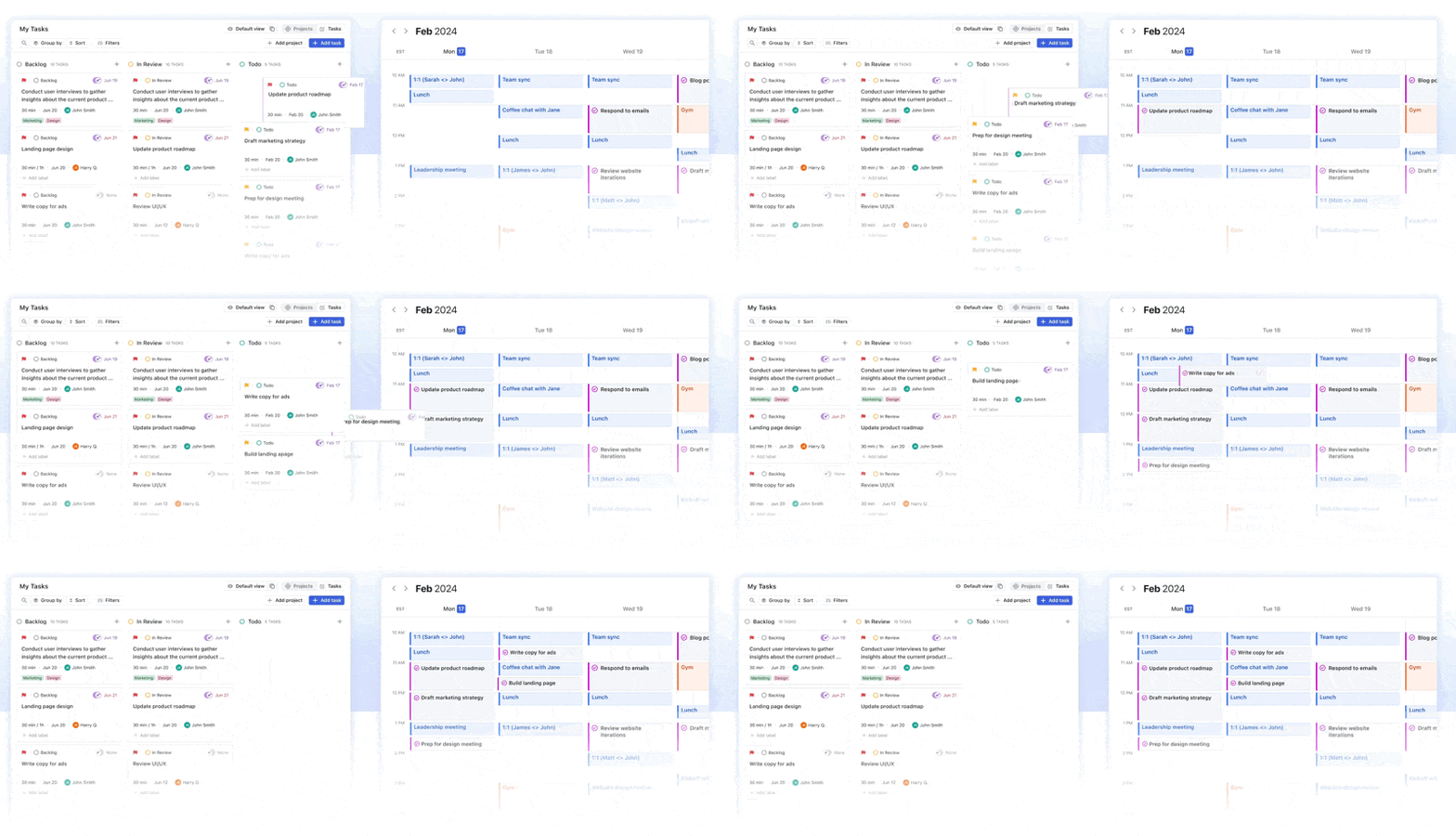
Tasks connect with Google Calendar to show due dates. This feature lets you see all your events and tasks in one view. Scheduling becomes clear and helps manage your day better.
- View tasks alongside events on Google Calendar
- Set due dates that appear on your calendar
- Plan your work and personal time effectively
Simple And Intuitive Interface For Quick Personal Lists
The interface is clean and easy to use. You can add, edit, or delete tasks fast. This simplicity suits people who want to create personal lists without distractions.
- Minimal design for quick task entry
- Drag and drop tasks to reorder
- Create multiple lists for different needs
Free Access Within The Google Ecosystem
Google Tasks is free with any Google account. It does not require extra payment or subscriptions. Users benefit from a task manager inside the apps they already use daily.
| Feature | Cost | Access |
|---|---|---|
| Google Tasks | Free | Included with Google Account |
Basic Task Management Without The Complexity
Google Tasks keeps things simple. It covers essential task functions without overwhelming users. No advanced filters or project templates—just straightforward task lists.
- Add tasks with titles and due dates
- Organize tasks into lists
- Mark tasks complete with one tap
This simplicity helps users focus on getting tasks done, not managing complex tools.
Credit: thesweetsetup.com
Pricing And Affordability Breakdown
Understanding the pricing of task management apps helps users pick the best fit. Todoist and Google Tasks differ significantly in cost and features. This section breaks down their pricing models and what you get for your money.
Todoist Pricing Tiers: Free Vs. Premium Features
Todoist offers a free plan and a premium subscription. The free version covers basic task management, suitable for casual users.
| Feature | Free Plan | Premium Plan |
|---|---|---|
| Number of Projects | Up to 5 | Up to 300 |
| Task Reminders | None | Custom (time & location) |
| Labels & Filters | Not available | Available |
| Comments & File Uploads | Not available | Available |
| Productivity Trends | Basic | Detailed |
The premium plan costs around $4 per month (billed yearly). It suits users needing advanced tools and collaboration options.
Google Tasks: Completely Free With No Paid Upgrades
Google Tasks is entirely free with no premium or paid tiers. It offers simple task creation and management.
- Integrates seamlessly with Gmail and Google Calendar
- Supports basic task lists and subtasks
- No reminders or advanced filters
- Limited customization options
This app fits users wanting a straightforward, no-cost tool inside the Google ecosystem.
Evaluating Value For Money Based On User Needs
Value depends on task complexity and user needs.
- Casual Users: Google Tasks is ideal for simple lists without extra costs.
- Power Users & Teams: Todoist’s premium features justify the price for detailed task control and collaboration.
- Budget Conscious: Google Tasks offers basic features with zero expense.
- Project Management: Todoist’s filters, labels, and reminders add high value.
Choosing between the two depends on whether advanced features or free access matters more.
Pros And Cons Based On Real-world Usage
Choosing between Todoist and Google Tasks depends on your needs and workflow. Both apps serve different types of users. Real-world use reveals distinct advantages and drawbacks for each. This section breaks down their strengths and weaknesses.
Todoist Pros: Customization, Collaboration, And Advanced Features
- Robust Organization: Manage projects, labels, filters, and priorities easily.
- Natural Language Input: Quickly add tasks using everyday language like “tomorrow at 3pm.”
- Collaboration Tools: Share projects, assign tasks, and comment with team members.
- Advanced Reminders: Set location-based or time-specific alerts to stay on track.
- Custom Filters: Create views tailored to your workflow for better focus.
- Cross-Platform Sync: Access tasks on desktop, mobile, and web seamlessly.
Todoist fits users managing complex projects or teams. Its features support detailed planning and collaboration.
Todoist Cons: Cost Barrier For Premium Functionalities
- Limited Free Version: Many powerful features require a paid subscription.
- Subscription Fee: Monthly or annual cost may deter casual users.
- Feature Overload: Can feel overwhelming for users wanting simple task lists.
Serious productivity tools come with a price. Some users may find the cost too high for basic needs.
Google Tasks Pros: Simplicity, Integration, And Cost-free Access
- Easy to Use: Simple interface for quick task entry and management.
- Deep Google Integration: Works smoothly with Gmail, Google Calendar, and Google Keep.
- Free Access: No subscription or payment needed for all features.
- Lightweight App: Ideal for users seeking a no-fuss, straightforward to-do list.
Google Tasks suits individuals wanting fast, easy task tracking without extra features.
Google Tasks Cons: Limited Features And Lack Of Advanced Tools
- Basic Organization: No labels, filters, or priorities for tasks.
- Minimal Collaboration: No team sharing or task assignment options.
- No Advanced Reminders: Lacks location-based or custom alert options.
- Less Customization: Few options to tailor task views or workflows.
Google Tasks is not suited for complex projects or collaborative teams. It focuses on simplicity over power.
Who Should Choose Todoist?
Todoist suits users who need strong task management beyond simple lists. It supports complex projects and offers tools for team collaboration and personal productivity. The app fits those who want customization and detailed insights to organize their work and life efficiently.
Individuals Managing Complex Or Multi-step Projects
Todoist helps users break down large projects into smaller, clear tasks. Each task can have subtasks, deadlines, and priority levels. This structure keeps projects on track and easy to follow.
- Create projects and sub-projects to organize work.
- Use labels and filters to sort tasks by type, urgency, or context.
- Set recurring due dates with natural language input like “every Monday.”
The app’s interface keeps complex workflows simple. Users see what to do next and when. It avoids overload and improves focus.
Teams Needing Task Delegation And Collaboration
Teams benefit from Todoist’s ability to assign tasks and share projects. Collaboration stays clear and updated, reducing confusion.
| Feature | Benefit |
|---|---|
| Task Assignment | Delegates work to specific team members easily. |
| Comments & Notifications | Keeps team updated on task progress and changes. |
| Shared Projects | Allows everyone to access and edit tasks in one place. |
These features ensure smooth teamwork and clear communication.
Users Seeking Deep Customization And Productivity Insights
Todoist offers many options to tailor task views and reminders. Users can create custom filters and set priority flags to focus on the most important work.
- Build custom filters to group tasks by tag, project, or date.
- Choose reminder types: time-based or location-based alerts.
- Track productivity with built-in charts showing completed tasks over time.
This customization helps users understand their habits and improve efficiency. The insights guide better planning and time use.
Who Should Choose Google Tasks?
Google Tasks fits users who want simple, seamless task management inside the Google ecosystem. It offers a clean, no-frills way to track to-dos without extra features. This makes it perfect for people needing quick task capture and easy access from Google apps. Its free and lightweight design appeals to those who want straightforward task lists without complexity.
Users Fully Invested In The Google Ecosystem
Google Tasks works best for users who rely heavily on Google services like Gmail and Google Calendar. The integration is native and smooth:
- Tasks appear directly inside Gmail and Calendar interfaces.
- Creating tasks from emails or calendar events is fast and simple.
- Synchronization across devices happens automatically via Google account.
This setup saves time and keeps everything in one place. It suits users who do not want to switch apps or manage separate logins.
Those Preferring A No-fuss, Simple To-do List
Google Tasks offers a clean, minimal interface. It is designed for:
- Users who want to jot down tasks without distractions.
- People who do not need advanced features like labels or filters.
- Those who prefer a straightforward, easy-to-use task list.
The app focuses on quick task entry and completion tracking. It avoids overwhelming users with extra options.
People Needing Quick Task Capture From Emails And Calendar
Google Tasks excels at capturing tasks directly from Gmail and Google Calendar:
- Convert an email into a task with one click.
- Link calendar events to task lists for better planning.
- Set simple due dates that sync with Google Calendar reminders.
This feature is ideal for users who want to act on emails or events immediately without leaving their Google apps.
Credit: www.usemotion.com
Making The Right Choice: Todoist Or Google Tasks?
Choosing between Todoist and Google Tasks depends on your work style and needs. Both tools help manage tasks but serve different types of users. Understanding your productivity habits and what you need from a task manager guides this decision.
Assessing Your Productivity Needs And Workflow
Todoist suits users who handle complex projects and need detailed organization. It offers:
- Projects, labels, and filters to sort tasks
- Priorities and natural language input for quick task entry
- Team collaboration and extensive integrations
Google Tasks fits users wanting simple, fast task entry within Google apps. It features:
- Basic task lists with subtasks
- Seamless integration with Gmail and Google Calendar
- No advanced customization or collaboration tools
Think about how detailed your task lists need to be and if you work alone or in teams.
Balancing Feature Requirements Against Budget
| Feature | Todoist | Google Tasks |
|---|---|---|
| Cost | Free basic plan; paid plans unlock advanced features | Completely free |
| Task Organization | Projects, labels, filters, priorities | Simple lists and subtasks |
| Collaboration | Yes, supports team projects | No collaboration features |
| Integrations | Many third-party apps | Limited to Google Workspace apps |
Budget limits might push you toward Google Tasks for free use. Todoist’s paid plans suit users who need more power and flexibility.
Recommendations For Beginners Vs. Power Users
Beginners or users who want simple task lists benefit from Google Tasks. It works well inside Gmail and Google Calendar without extra setup.
Power users and teams benefit from Todoist’s rich features. It handles large projects and supports teamwork with:
- Customizable reminders and filters
- Advanced task organization
- Integration with many apps outside Google
Choose the app that fits your daily routine and lets you stay organized with ease.
Conclusion: Final Thoughts On Todoist Vs Google Tasks
Choosing between Todoist and Google Tasks depends on your work style and needs. Both apps help manage tasks but serve different purposes. Todoist suits complex projects and teamwork. Google Tasks fits simple, personal task lists and Google app users.
Summary Of Key Differences And Strengths
| Feature | Todoist | Google Tasks |
|---|---|---|
| Task Organization | Projects, labels, filters, priorities | Simple lists under Gmail and Calendar |
| Collaboration | Strong team collaboration tools | Limited to personal task management |
| Integrations | Extensive third-party app support | Deep integration with Google services |
| Ease of Use | More features, steeper learning curve | Very simple and quick to use |
| Cost | Free basic plan, paid for advanced features | Completely free |
How Both Apps Complement Different Productivity Styles
Todoist suits users managing many tasks or teams. It offers rich features for organizing and tracking complex projects. Natural language input speeds task entry. Custom filters help focus on what matters most.
Google Tasks works well for users who want fast, simple task lists. It fits users who rely on Gmail and Google Calendar daily. Tasks sync automatically with these apps, saving time switching between tools.
Encouragement To Experiment And Find Your Best Fit
Try both apps to see which fits your style. Start with simple tasks on Google Tasks for quick wins. Explore Todoist if you need more structure and teamwork features.
Test their features for a few days. Notice which app helps you stay on track better. Your ideal task manager depends on your habits and goals.
Credit: 2sync.com
Frequently Asked Questions
Which Is Better, Todoist Or Google Tasks?
Todoist suits users needing advanced organization, collaboration, and customization. Google Tasks fits those wanting simple, free task management integrated with Google apps. Choose Todoist for complex projects and teams; choose Google Tasks for basic lists and seamless Gmail/Calendar use.
What Is The 1/3/5 Rule In Todoist?
The 1/3/5 rule in Todoist helps prioritize tasks by focusing on 1 big task, 3 medium tasks, and 5 small tasks daily. It boosts productivity and prevents overwhelm by organizing workload effectively. This method ensures clear focus and balanced task management each day.
Which Is Better, Todoist Or Things?
Todoist excels in advanced features, collaboration, and customization for complex projects. Things offers a simple, elegant interface ideal for Apple users focusing on personal task management. Choose Todoist for power users and teams; select Things for intuitive, streamlined solo productivity on Mac and iOS.
What Are The Pros And Cons Of Todoist?
Todoist offers strong task organization, collaboration, and customization but requires a paid plan for advanced features. It suits complex projects and teams. Its cons include a learning curve and subscription cost.
Conclusion
Choosing between Todoist and Google Tasks depends on your needs. Todoist fits users managing complex projects or teams. It offers customization, collaboration, and advanced reminders. Google Tasks suits those wanting simple, free task lists within Google apps. It integrates smoothly with Gmail and Calendar. Both apps help you stay organized. For serious productivity and features, try Todoist. For easy, no-fuss task management, Google Tasks works well. Pick the one that matches your daily workflow best. Simple and clear task planning improves focus and success.
