
Are you struggling to decide between Nuclino and ClickUp to boost your team’s productivity? Choosing the right tool can make or break how efficiently you manage your projects and knowledge.
While Nuclino offers a simple, easy-to-use platform for team collaboration and documentation, ClickUp goes beyond by combining every app, AI agent, and human in one powerful workspace. Imagine replacing all your scattered software with one solution designed to maximize your productivity. Curious to see which one fits your needs better? Keep reading, and discover why many are switching to ClickUp to transform how they work.
Credit: www.nuclino.com
Introduction To Nuclino And Clickup
Choosing the right tool can boost your team’s productivity significantly. Nuclino and ClickUp serve different purposes but both aim to improve how teams work. Understanding each tool helps teams pick the best fit for their needs.
Overview Of Nuclino And Its Primary Purpose
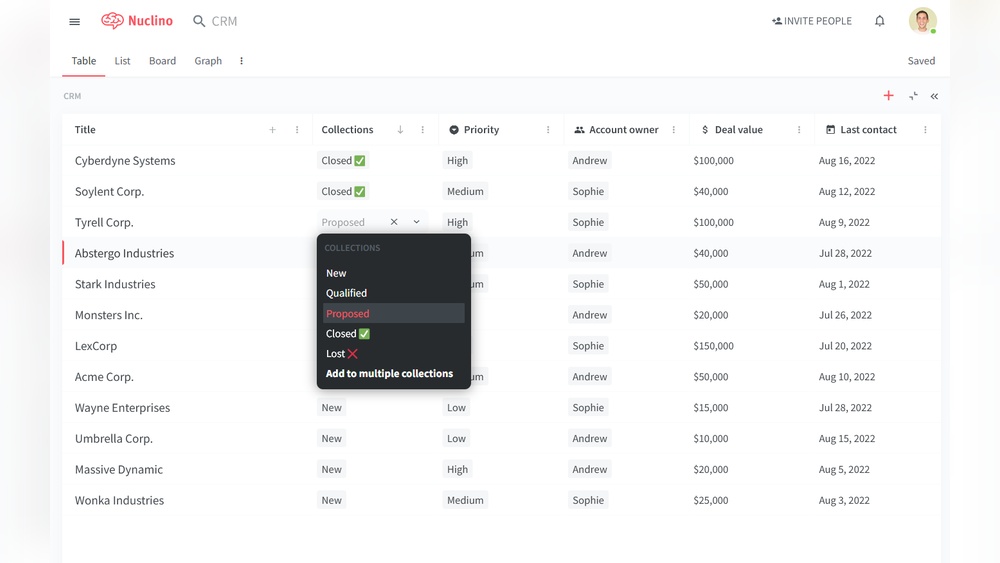
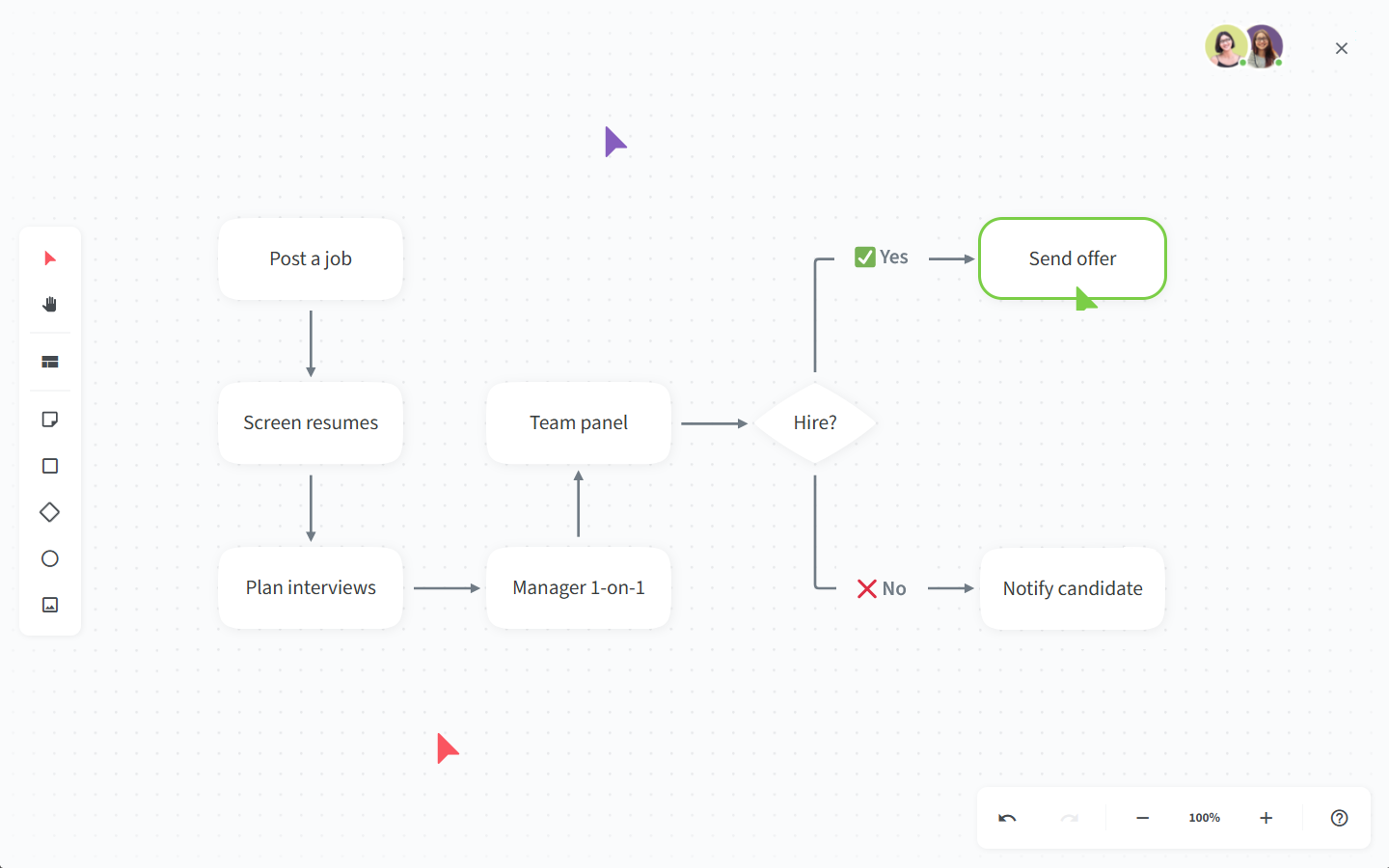
Nuclino is a knowledge management platform designed for easy team collaboration. It helps teams create, organize, and share documentation in real time. The interface is simple and fast, focusing on reducing complexity and overhead.
Key features of Nuclino include:
- Real-time collaborative editing
- Intuitive knowledge base creation
- AI-powered assistant called Sidekick
- Quick information retrieval using AI
Teams use Nuclino to keep knowledge clear, accessible, and up-to-date without clutter.
Overview Of Clickup And Its Primary Purpose
ClickUp is a comprehensive productivity platform designed to replace multiple apps. It combines task management, project tracking, docs, and communication in one place. ClickUp aims to centralize all work tools for better efficiency.
Main features of ClickUp include:
- Task and project management
- Customizable workflows and views
- Integrated docs and wikis
- Automation and AI tools
- Team collaboration and communication
ClickUp suits teams needing an all-in-one solution to manage work and projects.
Why Comparing These Two Tools Matters For Team Productivity
Nuclino and ClickUp serve different but complementary roles. Nuclino focuses on knowledge sharing and documentation. ClickUp centers on task management and workflow organization.
Choosing between them depends on what your team needs most:
- Clear and simple knowledge base? Nuclino fits well.
- All-in-one productivity and project tool? ClickUp works better.
- Both documentation and task tracking? Consider combining tools or ClickUp’s docs feature.
Comparing these tools helps teams use resources wisely and boost overall efficiency.
Key Features That Set Nuclino Apart
Nuclino stands out as a knowledge management tool built for teams that need simple, fast, and effective collaboration. Its core strengths focus on keeping documentation clear and accessible, helping teams work together without confusion. Nuclino’s design and AI capabilities make it a strong choice for users who want a smooth experience with minimal distractions.
Real-time Collaborative Knowledge Management For Streamlined Documentation
Nuclino allows multiple team members to edit and update documents simultaneously. Changes appear instantly, so everyone stays on the same page. This reduces delays and avoids version conflicts common in other tools.
- Collaborate live on notes, wikis, and project documents
- Organize content with linked pages and clusters
- Track changes with easy history and undo features
This setup speeds up knowledge sharing and ensures documentation stays accurate and up to date.
Intuitive And Minimalistic Interface Designed For Ease Of Use
Nuclino’s interface focuses on clarity and simplicity. It avoids clutter and complex menus, which helps users learn quickly and work without distractions.
The interface features:
- Clean workspace with clear navigation
- Drag-and-drop organization of content
- Fast search to find information in seconds
- Responsive design for both desktop and mobile
This minimalistic design suits teams that want to spend less time managing tools and more time on work.
Ai-powered Assistant Sidekick For Instant Information Retrieval
Nuclino includes Sidekick, an AI assistant built to help users find answers fast. Sidekick uses the team’s existing knowledge base to provide instant, accurate responses.
| Feature | Benefit |
|---|---|
| Instant QA | Get quick answers without leaving the platform |
| Context-aware | Uses team documents to provide relevant responses |
| Reduces search time | Speeds up workflows by minimizing manual searching |
Sidekick helps teams stay productive by making knowledge instantly accessible.
Distinctive Features Of Clickup
ClickUp offers a powerful suite of tools designed to boost productivity and streamline workflows. It combines multiple work apps into one platform, making team collaboration and task management smoother. The platform’s flexibility suits businesses of all sizes, allowing customization to meet unique needs. Below are some key features that set ClickUp apart.
Comprehensive Task And Project Management Capabilities
ClickUp provides a wide range of features to manage tasks and projects effectively.
- Task Hierarchies: Create tasks, subtasks, and checklists to organize work clearly.
- Multiple Views: Use List, Board, Calendar, Gantt, and Timeline views to track progress.
- Prioritization and Deadlines: Set priorities and due dates to keep tasks on schedule.
- Time Tracking: Built-in timers help monitor the time spent on each task.
- Collaboration Tools: Comments, mentions, and attachments keep communication in context.
This comprehensive set of tools ensures projects move forward with clarity and efficiency.
Advanced Integrations And Automation Options
ClickUp supports numerous integrations and automation features to connect workflows and save time.
| Feature | Description |
|---|---|
| Integrations | Connects with popular apps like Slack, Google Drive, Zoom, and more for seamless workflow. |
| Automation | Automate repetitive tasks using custom rules triggered by status changes, due dates, or comments. |
| API Access | Offers API for building custom integrations and extending platform functionality. |
These options reduce manual work and help teams focus on important tasks.
Robust Reporting And Dashboard Customization
ClickUp’s reporting tools provide deep insights into productivity and project status.
- Custom Dashboards: Build dashboards with widgets that track key metrics.
- Real-Time Reporting: View live updates on task progress and team performance.
- Goal Tracking: Set measurable goals and monitor their achievement directly from dashboards.
- Export Options: Export reports in various formats for sharing and analysis.
These features help managers make informed decisions and keep teams aligned.
Pricing And Affordability Comparison
Choosing the right productivity tool depends heavily on pricing and value. Nuclino and ClickUp offer different pricing models tailored to various team needs. Understanding their costs and benefits helps teams pick the best fit without overspending.
Nuclino’s Pricing Tiers And Value For Small To Medium Teams
Nuclino provides a simple pricing structure that suits small to medium teams well. It focuses on knowledge management and collaboration with minimal complexity.
| Plan | Cost (per user/month) | Key Features |
|---|---|---|
| Free | $0 | Up to 50 items, basic collaboration, limited storage |
| Pro | Approx. $5 | Unlimited items, advanced search, version history, priority support |
Nuclino’s pricing is straightforward. It offers good value for teams focused on fast content organization and simple collaboration. The low cost suits teams that want essential features without complexity.
Clickup’s Pricing Structure And Options For Scalability
ClickUp offers a more complex pricing model with multiple tiers. It is designed for scalability and suits both small startups and large enterprises.
| Plan | Cost (per user/month) | Key Features |
|---|---|---|
| Free | $0 | Unlimited users, tasks, and docs, basic integrations |
| Unlimited | Approx. $5 | Unlimited storage, integrations, dashboards, goals |
| Business | Approx. $12 | Advanced automation, custom permissions, API access |
| Enterprise | Custom Pricing | Tailored solutions, white-labeling, dedicated support |
ClickUp’s flexible pricing covers a wide range of needs. Its tiers add features to support growing teams and complex projects. Teams can scale up or down based on their workflow demands.
Cost-effectiveness Based On Team Size And Project Complexity
For small teams with simple documentation needs, Nuclino’s Pro plan is budget-friendly and easy to use. It covers essential knowledge management without extra costs.
Medium to large teams benefit from ClickUp’s advanced features and scalability. Although it costs more, it supports complex workflows and integrates multiple tools in one place.
- Small teams: Nuclino offers a low-cost, straightforward solution.
- Growing teams: ClickUp allows adding features as projects get complex.
- Complex projects: ClickUp’s automation and reporting improve productivity.
Choosing depends on the team’s size and project demands. Nuclino is great for quick, simple collaboration. ClickUp suits teams needing extensive customization and growth options.
Pros And Cons Based On User Experience
Users often compare Nuclino and ClickUp by weighing their strengths and weaknesses. Both tools serve different needs, influencing how teams work daily. Examining user experience reveals what makes each platform stand out or fall short.
Advantages Of Nuclino: Simplicity, Quick Setup, And Ease Of Use
Nuclino is praised for its simple design and fast onboarding. Teams can start organizing knowledge and collaborating without delays.
- Clean, intuitive interface reduces confusion
- Minimal setup time to get started
- Real-time collaboration with instant updates
- Focus on knowledge management keeps workflow clear
This simplicity suits teams that want to avoid complexity and focus on sharing information efficiently.
Limitations Of Nuclino: Limited Task Management Features
Users note that Nuclino lacks robust task management options. This limits its use as a full project management tool.
- No advanced task tracking or dependencies
- Basic to-do lists without detailed scheduling
- Limited integration with other productivity apps
Teams needing strong task features may find Nuclino insufficient for managing complex projects.
Advantages Of Clickup: Extensive Features And Customization
ClickUp offers a broad range of features and deep customization. It combines project management, docs, goals, and more in one place.
| Feature | Benefit |
|---|---|
| Task Management | Detailed task tracking, priorities, dependencies |
| Custom Views | Lists, boards, calendars, Gantt charts |
| Automation | Automate repetitive workflows |
| Integrations | Connects with many third-party apps |
This flexibility fits teams that require control over workflows and prefer all tools in one platform.
Challenges With Clickup: Learning Curve And Potential Overwhelm
New users often face a steep learning curve due to ClickUp’s many options. The interface can feel overwhelming at first.
- Complex settings may confuse beginners
- Time needed to customize for specific needs
- Risk of overloading with too many features
Users recommend gradual adoption to avoid burnout and fully benefit from ClickUp’s power.

Credit: www.trustradius.com
Which Tool Is Best For Your Team?
Choosing the right tool for your team depends on your work style and project needs. Both Nuclino and ClickUp serve different purposes and team dynamics. Understanding their strengths helps match the tool to your team’s workflow. Let’s explore which tool fits best.
Ideal Scenarios And Teams Suited For Nuclino
Nuclino excels in simplifying team collaboration around knowledge and documentation. It suits teams that need fast, easy organization without heavy setup.
- Small to medium teams focused on knowledge sharing
- Groups needing real-time content collaboration and editing
- Teams preferring minimal overhead and an intuitive interface
- Projects requiring a lightweight, clean workspace for documentation
- Teams that benefit from AI-powered search and quick information retrieval
Nuclino’s simplicity reduces friction for teams new to digital collaboration tools. Its AI assistant helps teams find information instantly, improving productivity.
Best Use Cases For Clickup’s Complex Project Needs
ClickUp fits teams managing detailed projects with multiple moving parts. It replaces many apps by combining tasks, docs, goals, and communication.
- Teams handling complex project workflows and task dependencies
- Organizations needing extensive customization and automation
- Groups managing large projects with multiple teams and roles
- Businesses requiring comprehensive reporting and time tracking
- Teams looking for a centralized hub for all work, including docs and chats
ClickUp provides deep features but requires time to learn. It suits teams wanting all work tools in one place to maximize productivity.
Decision Factors: Balancing Simplicity Versus Feature Depth
| Factor | Nuclino | ClickUp |
|---|---|---|
| Ease of Use | Simple, clean interface, minimal setup | More complex, steeper learning curve |
| Feature Depth | Focused on knowledge management and collaboration | Extensive project management and automation tools |
| Customization | Limited, prioritizes speed and simplicity | Highly customizable to fit diverse workflows |
| Best For | Teams needing fast, intuitive knowledge sharing | Teams managing complex projects and multiple apps |
| AI Capabilities | Built-in AI assistant for quick knowledge access | Includes AI features integrated across tasks and docs |
Teams should weigh simplicity against feature depth. Nuclino suits teams valuing speed and ease. ClickUp fits teams needing robust tools and flexibility.
Conclusion: Making The Right Choice For Team Productivity
Choosing between Nuclino and ClickUp depends on your team’s unique needs. Both tools boost productivity but serve different purposes. Nuclino excels in knowledge management and fast collaboration. ClickUp offers a comprehensive project and task management platform. Understanding their differences helps pick the best tool to enhance your team’s workflow.
Summary Of Key Differences And Unique Strengths
| Feature | Nuclino | ClickUp |
|---|---|---|
| Primary Use | Knowledge management and content collaboration | Project, task, and workflow management |
| User Interface | Simple and intuitive with minimal overhead | Feature-rich and customizable |
| AI Integration | AI-powered assistant for instant knowledge retrieval | AI tools to automate tasks and centralize workflows |
| Best For | Teams needing fast, easy documentation and collaboration | Teams requiring robust task tracking and project planning |
| Pricing Model | Affordable with free options for small teams | Scalable plans for businesses of all sizes |
Final Thoughts On Maximizing Productivity With Either Tool
Nuclino improves productivity by reducing time spent searching for information. It keeps team knowledge clear and accessible. Its simple design helps teams focus on content without distractions.
ClickUp centralizes all work in one place. It helps organize tasks, projects, and communications efficiently. Its automation features reduce manual work and keep teams aligned.
Both tools offer strong benefits. Choose Nuclino for quick knowledge sharing. Choose ClickUp for comprehensive project management.
Recommendations For Trial And Adoption Strategies
- Define team needs: List key goals like task management or knowledge sharing.
- Start with free trials: Test Nuclino and ClickUp with your team on small projects.
- Gather feedback: Collect team opinions on ease of use and feature fit.
- Train users: Provide basic training to ensure smooth adoption.
- Scale gradually: Expand tool usage as the team grows familiar.
Trial phases reveal which tool fits your workflow best. Clear goals and team input ensure the right choice for sustained productivity.
Credit: www.groovehq.com
Frequently Asked Questions
What Is Better Than Clickup?
Smartsheet outperforms ClickUp for enterprise projects with better database handling and advanced reporting features. Nuclino excels in simplicity and knowledge management. Notion offers strong document and database capabilities. Choose based on your team’s specific needs and project complexity.
Does Nuclino Cost Money?
Nuclino offers a free plan with basic features. Paid plans provide advanced tools and increased limits for teams.
What Is Nuclino Used For?
Nuclino is used for real-time team collaboration, knowledge management, and organizing documentation with a simple, intuitive interface.
Does Nuclino Use Ai?
Nuclino uses AI through its Sidekick assistant, enabling quick answers from your team’s documented knowledge base.
Conclusion
Both Nuclino and ClickUp offer useful tools for teamwork and productivity. Nuclino shines in simplicity and fast setup. ClickUp supports more complex tasks and integrations. Choosing depends on your project needs and team size. Explore ClickUp’s features and see if it fits your workflow by visiting ClickUp. Try both to find the best match for your work style.
