
Struggling to keep your tasks organized and your day on track? You’re not alone.
Choosing the right tool to manage your to-dos can make all the difference between feeling overwhelmed and staying in control. That’s why comparing Todoist vs Reminders matters—because your productivity depends on a system that fits your needs perfectly. If you want a powerful planner that helps you break down big projects, set recurring reminders, and even supports habits, Todoist might be exactly what you need. On the other hand, if you prefer something simple that syncs effortlessly across your Apple devices, Apple Reminders could be your go-to. Ready to find out which one will give you the clarity and focus you crave? Dive into this comparison and discover how each app can transform your daily routine. Plus, if you’re curious about leveling up with Todoist, check it out here: Todoist – The World’s 1 To-Do List App.
Credit: hulry.com
Introduction To Todoist And Apple Reminders
Choosing the right task manager affects productivity and daily organization. Todoist and Apple Reminders serve this purpose differently. Understanding their features and audiences helps select the best tool for your needs.
Overview Of Todoist: Powerful Cross-platform Task Management
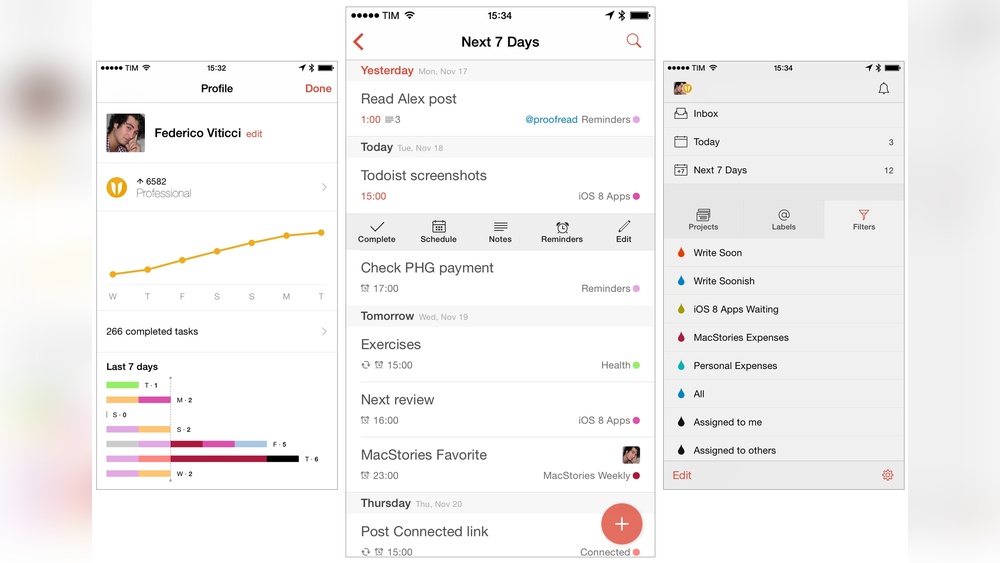
Todoist is a robust digital task manager designed for both personal and professional use. It supports quick task entry using natural language, like “Call dentist tomorrow,” making task capture fast and simple.
The app offers a clean, visual interface with:
- Custom filters and calendar views for task organization
- Subtasks to break down large projects
- Due dates, recurring tasks, and reminders to build routines
- Minimal distractions to keep focus
Todoist integrates with Siri and iOS Shortcuts, syncing well with Apple Reminders. It is also helpful for users with ADHD due to its structured yet flexible system.
Overview Of Apple Reminders: Seamless Integration In The Apple Ecosystem
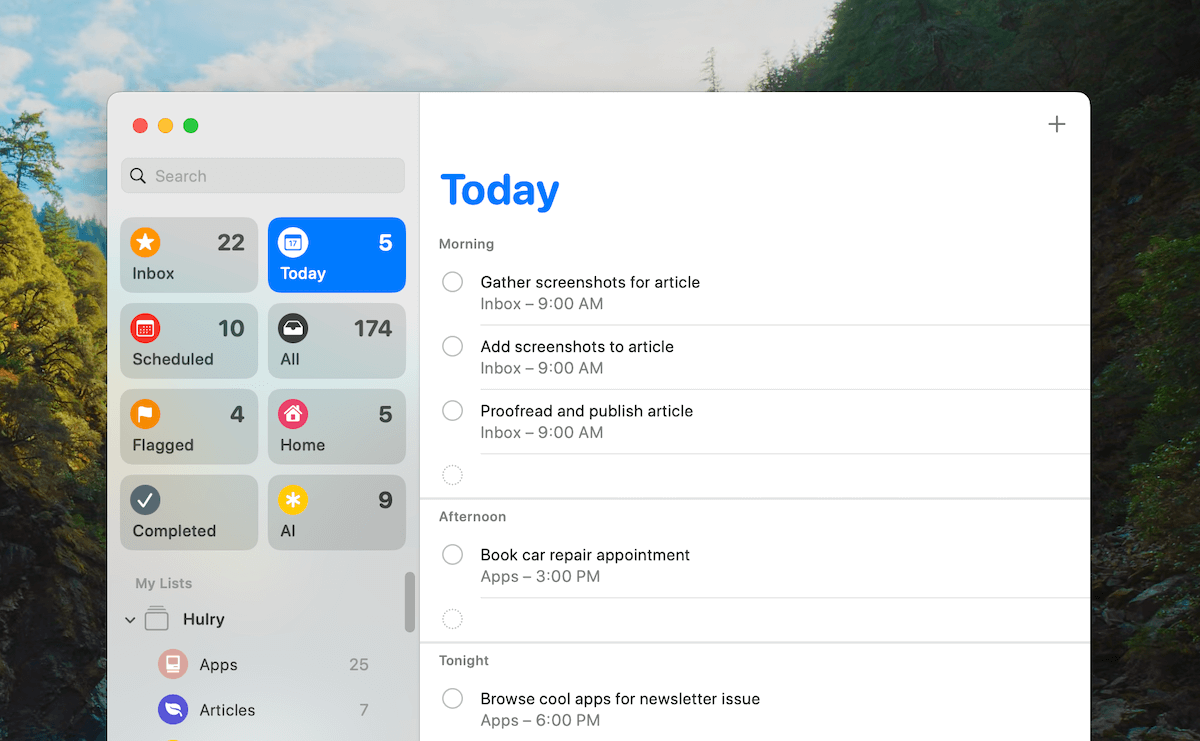
Apple Reminders is a native iOS app focused on simple task capturing and organization. It works smoothly across Apple devices, ensuring tasks sync without extra setup.
Main features include:
- Basic list creation and reminders
- Task capture via Siri voice commands
- Native integration with iOS and macOS
- Automation support through Shortcuts, including syncing with Todoist
It is ideal for users who want straightforward task management within the Apple ecosystem.
Purpose And Target Audience Of Both Tools
| Tool | Purpose | Target Audience |
|---|---|---|
| Todoist | Advanced task management with detailed planning and habit support. | Professionals, students, and users needing cross-platform access and ADHD support. |
| Apple Reminders | Simple task tracking with seamless Apple device integration. | Apple users preferring basic lists and voice command task entry. |
Credit: www.todoist.com
Key Features That Set Todoist Apart
Choosing between Todoist and Apple Reminders depends on what fits daily needs. Both apps have strengths and weaknesses revealed through practical use. Understanding these helps decide which tool suits your workflow better.
Todoist Pros: Flexibility, Power Features, And Cross-platform Accessibility
- Flexible Task Management: Supports quick natural language input like “Call dentist tomorrow.”
- Powerful Organization: Allows subtasks, custom filters, and calendar views for clear planning.
- Advanced Reminders: Recurring tasks and due dates help build routines and habits.
- Cross-Platform Access: Works on many devices, syncing tasks seamlessly across all platforms.
- Focus-Friendly Interface: Minimal distractions support better concentration and productivity.
- Integration Options: Connects with Siri, iOS Shortcuts, and other tools for automation.
- Supports ADHD Users: Structured yet flexible system aids executive function challenges.
Todoist Cons: Subscription Costs And Learning Curve
- Subscription Required: Many advanced features need a paid plan, which may not suit all budgets.
- Learning Curve: Beginners may find the many options and settings complex at first.
- Overwhelming for Simple Tasks: Some users prefer less powerful tools for quick notes.
Apple Reminders Pros: Free, Easy To Use, And Excellent For Apple Fans
- Completely Free: No costs or subscriptions for any features.
- Simple Interface: Easy task entry mainly through Siri and straightforward lists.
- Native Apple Integration: Syncs perfectly across all Apple devices without setup.
- Good for Basic Needs: Ideal for quick reminders and simple task lists.
- Hands-Free Task Capture: Siri voice commands make adding tasks fast and easy.
Apple Reminders Cons: Limited Features And Poor Support Outside Apple Devices
- Basic Functionality: Lacks advanced task management like subtasks and custom filters.
- Apple Ecosystem Only: No official support for Windows or Android devices.
- Minimal Automation: Limited integration options outside Apple services.
- Less Suitable for Complex Projects: Not ideal for detailed planning or large workflows.
Unique Strengths Of Apple Reminders
Choosing the right task manager depends on the user’s needs and work environment. Both Todoist and Apple Reminders serve different purposes well. Understanding their strengths helps pick the best tool for your tasks.
When To Choose Todoist: Complex Projects And Cross-device Collaboration
Todoist shines in managing complex projects and supporting collaboration across devices. It suits users who need detailed task breakdowns and clear visual organization.
- Handles subtasks and project hierarchies easily.
- Supports advanced features like calendar views and custom filters.
- Offers natural language input for fast task entry (e.g., “Submit report next Monday”).
- Syncs across multiple platforms seamlessly, ideal for mixed-device users.
- Helps users with ADHD by reducing cognitive overload through structured planning.
This tool is perfect for professionals, teams, and anyone managing multiple projects at once.
When Apple Reminders Is The Best Fit: Simple Tasks And Apple-only Environments
Apple Reminders works best for simple task tracking and users fully embedded in the Apple ecosystem.
- Quickly capture tasks using Siri voice commands.
- Syncs natively across all Apple devices without setup.
- Ideal for single lists or basic reminders without complex organization.
- Minimal interface for easy and fast use.
This app suits casual users who want lightweight task management without extra features.
Recommendations For Teams, Professionals, And Casual Users
| User Type | Best Tool | Why |
|---|---|---|
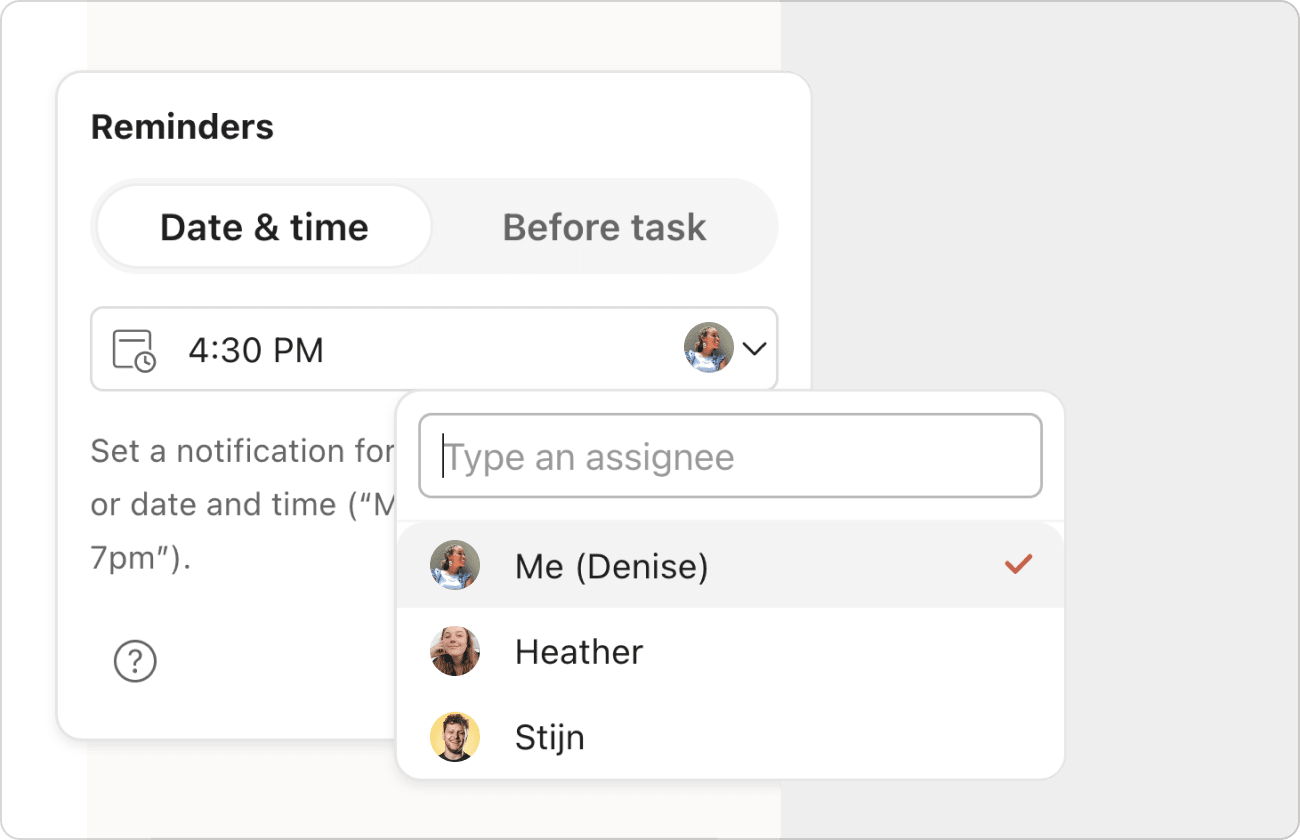
| Teams | Todoist | Supports task assignment, collaboration, and project tracking across devices. |
| Professionals | Todoist | Handles complex projects, deadlines, and reminders with advanced features. |
| Casual Users | Apple Reminders | Offers simple, fast task entry with native Apple device sync. |
Choosing between these apps depends on task complexity and device environment. Todoist fits those needing more control and collaboration. Apple Reminders suits users needing simplicity and seamless Apple integration.
Pricing And Affordability Comparison
Choosing between Todoist and Apple Reminders depends on your task needs and work style. Both tools serve distinct purposes. Todoist excels at detailed task management and long-term planning. Apple Reminders focuses on simplicity and seamless Apple ecosystem integration.
This section breaks down their strengths, trade-offs, and offers advice to enhance productivity with either app.
Summary Of Strengths And Trade-offs
| Feature | Todoist | Apple Reminders |
|---|---|---|
| Task Entry | Natural language input, quick capture | Simple capture, mostly via Siri voice |
| Organization | Subtasks, filters, calendar views | Basic lists and reminders |
| Advanced Features | Recurring tasks, reminders, task durations | Limited to basic reminders |
| Platform Integration | Cross-platform, integrates with Siri and Shortcuts | Native Apple device syncing |
| User Suitability | Great for ADHD and detailed planners | Best for simple task lists, Apple users |
| Interface | Clean, minimal distractions | Simple and straightforward |
Guidance Based On User Priorities And Ecosystem Preferences
Choose Todoist if:
- You need structured task breakdowns and project management.
- You want advanced features like recurring tasks and filters.
- You use multiple devices and platforms beyond Apple.
- You prefer visual task management and calendar views.
- You require support for ADHD or executive function challenges.
Choose Apple Reminders if:
- You want simple, quick reminders synced across Apple devices.
- You primarily use Siri voice commands to add tasks.
- You prefer a lightweight app without extra features.
- You are deeply invested in the Apple ecosystem.
Tips For Maximizing Productivity With Your Chosen Tool
- Todoist: Use natural language input for fast task entry. Break big tasks into subtasks. Set recurring tasks to build routines.
- Apple Reminders: Use Siri to add reminders hands-free. Group similar tasks in lists. Set location-based reminders for timely alerts.
- Both Tools: Sync with calendar apps to visualize deadlines. Review and update tasks daily to stay on track. Use notifications wisely to avoid distraction.
- Automation: Connect Todoist and Apple Reminders through iOS Shortcuts to keep tasks unified.

Credit: www.youtube.com
Frequently Asked Questions
What Are The Main Differences Between Todoist And Reminders?
Todoist offers advanced features like multi-platform support, natural language input, and project management. Reminders is free, Apple-exclusive, and integrates deeply with Siri for simple tasks and location alerts. Todoist suits power users, while Reminders fits casual users in the Apple ecosystem.
Which App Is Better For Cross-platform Task Management?
Todoist is the better choice for cross-platform use. It supports Windows, Android, iOS, and web, allowing seamless task syncing. Reminders works best on Apple devices and lacks full functionality on Windows and Android.
Is Todoist More Suitable For Complex Projects Than Reminders?
Yes, Todoist excels in handling complex projects with features like sub-tasks, comments, and file attachments. Reminders is limited to basic task lists and simple alerts, making it less ideal for detailed project management.
How Does Siri Integration In Reminders Compare To Todoist?
Reminders has superior Siri integration, enabling easy voice commands and location-based alerts. Todoist supports natural language input but doesn’t match the convenience of Siri’s voice control within Apple devices.
Conclusion
Choosing between Todoist and Apple Reminders depends on your needs. Todoist offers more tools for detailed planning and focus. Apple Reminders works well for quick, simple tasks on Apple devices. Both help organize your day, but Todoist suits users wanting extra features. Try Todoist for clearer task management and better productivity. Find out more about Todoist here. Your workflow can become smoother with the right app.
