
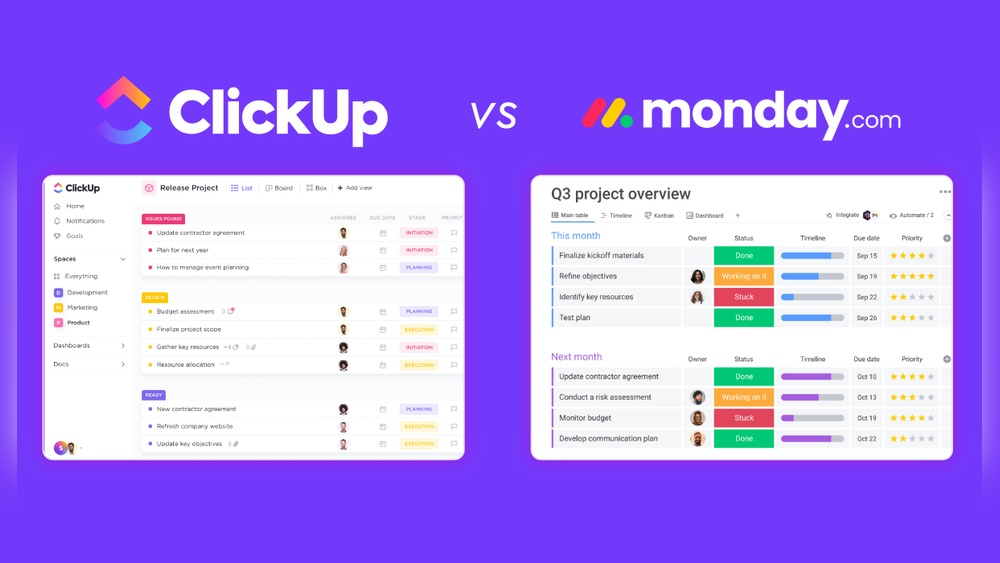
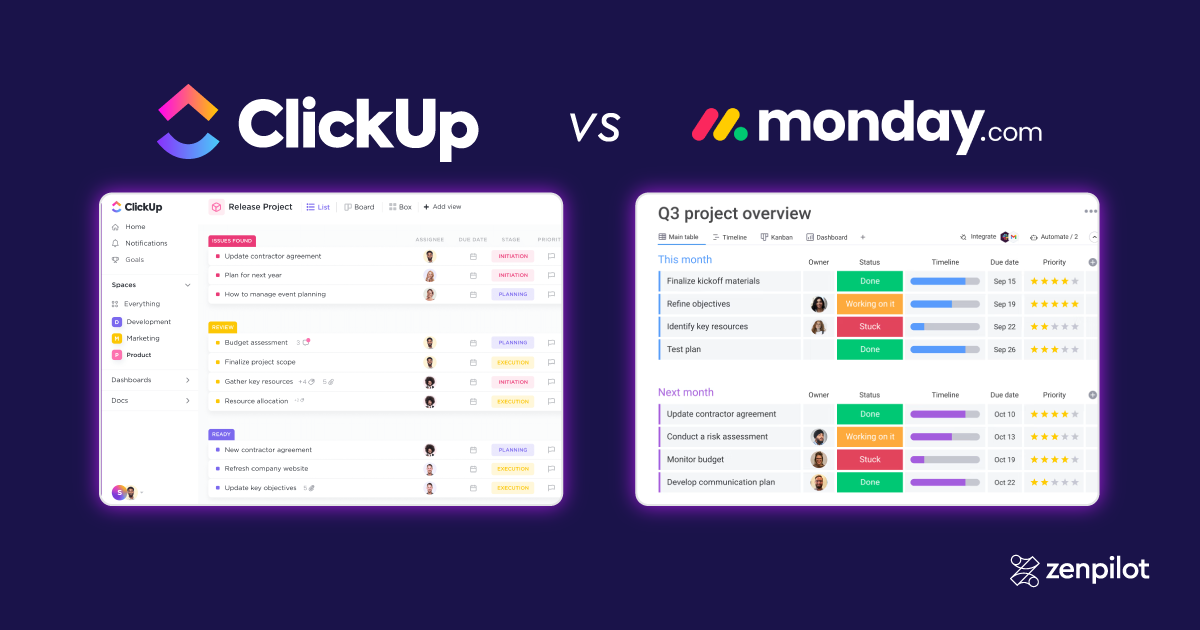
Trying to decide between ClickUp and Monday.com for your project management needs? You’re not alone.
Both platforms promise to boost your productivity, but they do it in very different ways. If you want a tool that can handle everything from simple tasks to complex workflows, ClickUp might be the all-in-one solution you need. On the other hand, if you prefer a visually appealing, easy-to-use interface that helps your team stay on the same page, Monday.com could be the better fit. But which one truly matches your style and budget? Stick around as we break down the key features, benefits, and pricing of each, helping you make the smartest choice for your work. Ready to explore how ClickUp can revolutionize your productivity? Check it out here: ClickUp. Let’s dive in!
Credit: www.nuclino.com
Introduction To Clickup And Monday.com
Choosing the right work management tool boosts team productivity. ClickUp and Monday.com are popular platforms in this space. Both offer unique features and pricing models. Understanding their purpose and audience helps decide which fits your team best.
Overview Of Clickup: Purpose And Target Audience
ClickUp is a comprehensive productivity platform designed to replace multiple apps. It combines project, task, and document management in one place.
- Targets teams needing flexible, complex workflows
- Suitable for enterprises and growing businesses
- Offers AI-powered tools to enhance productivity
- Provides extensive project management features like Gantt charts
- Pricing is flexible and affordable for various budgets
ClickUp adapts well to large-scale projects and diverse team needs.
Overview Of Monday.com: Purpose And Target Audience
Monday.com focuses on visual work management and team collaboration. It simplifies project tracking with an intuitive interface.
- Designed for teams seeking clear, customizable workflows
- Emphasizes user-friendly, visual project planning
- Supports automation and strong cross-team collaboration
- Pricing plans are more rigid compared to ClickUp
Monday.com suits teams valuing ease of use and visual clarity.
Why Compare Clickup And Monday.com For Team Productivity?
Both tools aim to enhance how teams work together. Comparing them reveals key differences:
| Feature | ClickUp | Monday.com |
|---|---|---|
| Flexibility | Highly customizable for complex projects | Customizable but less flexible |
| User Interface | Feature-rich, may require learning | Visual and easy to use |
| Pricing | Flexible and affordable | Rigid plans |
| Target Users | Enterprises and complex workflows | Teams needing clear, visual workflows |
Understanding these points helps pick the right platform. Both improve productivity but serve different team needs.
Key Features That Define Clickup
ClickUp is a powerful project management tool designed to handle complex tasks with ease. It offers a wide range of features that help teams stay organized and productive. Its flexibility and rich functionality make it suitable for different types of projects and teams.
Comprehensive Task Management: Benefits For Complex Projects
ClickUp allows detailed task creation and tracking. Users can:
- Break down tasks into subtasks and checklists
- Set priorities, deadlines, and dependencies
- Visualize projects with Gantt charts and timelines
- Assign tasks to multiple team members
This makes managing complex projects simpler and more organized.
Customizable Workflows And Automation: Enhancing Efficiency
Workflows in ClickUp can be tailored to fit any team’s needs. Features include:
- Custom statuses and task views
- Automation rules to reduce manual work
- Templates for recurring projects and tasks
Automation helps teams save time and avoid errors.
Affordable And Flexible Pricing Model: Accessibility For Various Teams
| Plan | Price | Ideal For |
|---|---|---|
| Free | $0 | Small teams, basic projects |
| Unlimited | Affordable monthly fee | Growing teams needing more features |
| Business & Enterprise | Custom pricing | Large teams with complex needs |
This pricing approach fits teams of all sizes and budgets.
Robust Integration Capabilities: Streamlining Team Collaboration
ClickUp connects with many popular tools, such as:
- Slack for communication
- Google Drive for file sharing
- Zoom for meetings
- GitHub for developers
These integrations help teams work smoothly without switching apps.
Advanced Reporting And Analytics: Data-driven Decision Making
ClickUp offers detailed reports that track project progress and team performance. Features include:
- Custom dashboards with key metrics
- Time tracking and workload reports
- Goal tracking for project milestones
Teams can make informed decisions based on real data.
Key Features That Define Monday.com
Monday.com stands out for its focus on simplicity, visual clarity, and collaboration. It provides tools that help teams organize, track, and manage their work efficiently. The platform’s features center on making workflows easy to understand and adapt, which supports teams in staying aligned and productive.
User-friendly Interface: Simplifying Onboarding And Adoption
Monday.com offers a clean, intuitive interface that reduces the learning curve for new users. The design uses clear icons, simple menus, and drag-and-drop actions. This helps teams start working quickly without confusion.
Key points include:
- Easy navigation with minimal clicks
- Quick setup with ready-made templates
- Clear visual cues for task status and priority
These features lower training time and improve team adoption.
Visual Workflow Customization: Enhancing Team Transparency
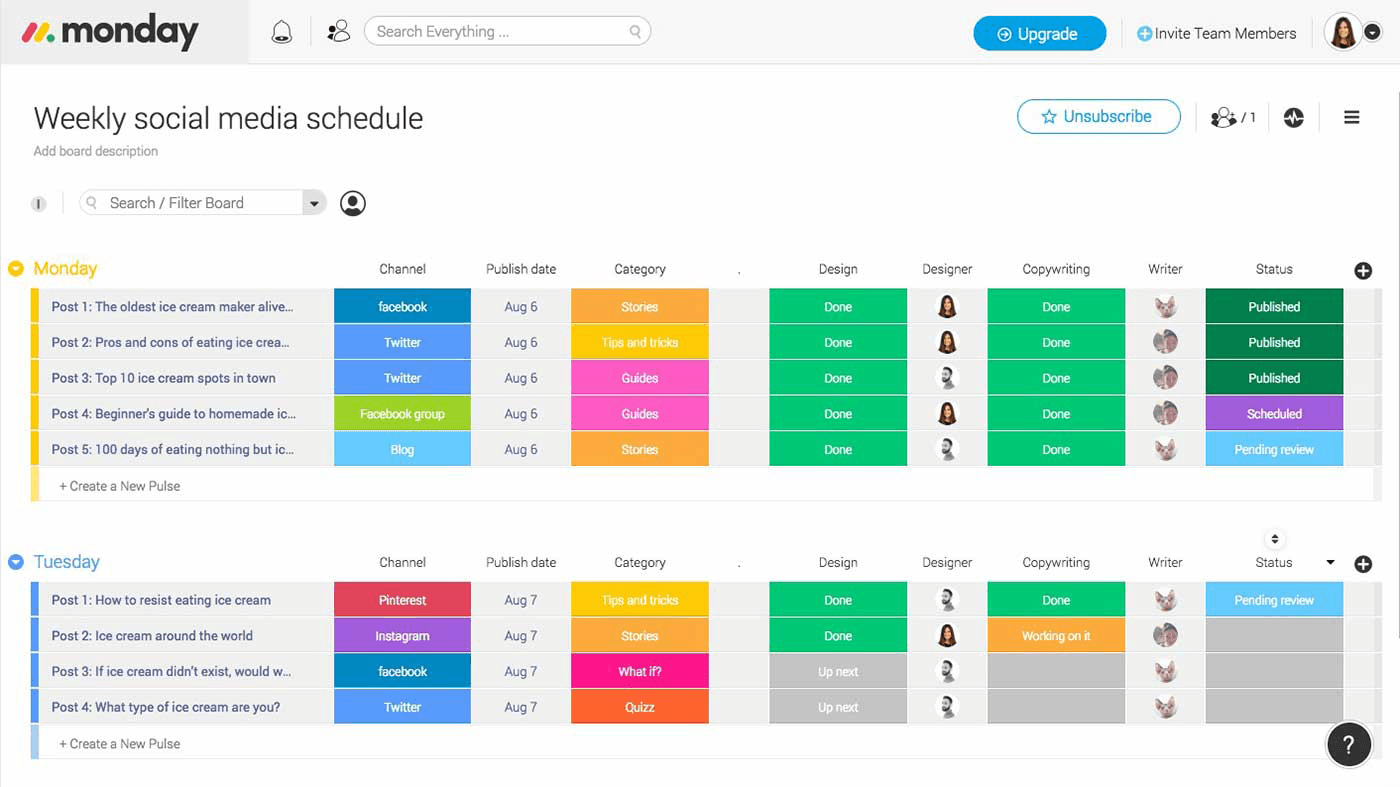
The platform allows teams to customize workflows visually using boards, timelines, and charts. Users can change views to match their project style, such as Kanban or Gantt charts.
This flexibility improves transparency by:
- Showing real-time progress of tasks
- Highlighting bottlenecks and deadlines
- Allowing easy adjustments without technical skills
Teams can quickly spot issues and stay on track.
Work Operating System (work Os): Centralizing Project And Task Management
Monday.com acts as a Work OS, bringing all project elements into one place. Users manage tasks, projects, files, and timelines from a single platform. This centralization reduces the need for multiple apps.
| Feature | Benefit |
|---|---|
| Task Management | Organize and assign tasks easily |
| File Storage | Keep important documents attached to tasks |
| Timeline Views | Visualize deadlines and dependencies |
This unified system keeps teams focused and aligned.
Collaboration Tools And Communication Features: Improving Team Interaction
Monday.com integrates tools that boost team communication. Comments, mentions, and notifications keep everyone informed. Users can discuss tasks directly on the platform, reducing email overload.
- Real-time updates on task progress
- Centralized conversations per task or project
- Automated alerts for deadlines and changes
Teams stay connected and decisions happen faster.
Global Presence And Scalability: Supporting Growing Teams
Monday.com supports teams of all sizes and scales smoothly as organizations grow. Its infrastructure handles increasing users and projects without slowing down.
Features supporting growth include:
- Multi-language support for global teams
- Robust security and compliance standards
- Flexible plans that suit small to enterprise levels
Teams can expand without switching platforms.
Pricing And Affordability Breakdown
Understanding pricing and affordability helps teams choose the right tool. Both ClickUp and Monday.com offer distinct pricing models. These impact budgets and team size decisions. This section breaks down their cost structures and value.
Clickup Pricing Structure: Flexibility And Cost-effectiveness
ClickUp provides a flexible pricing model that fits various budgets. It offers a free plan for small teams or individual users.
- Free Plan: Basic features, ideal for personal use.
- Unlimited Plan: Around $5 per user/month, unlocks unlimited storage and integrations.
- Business Plan: Approximately $12 per user/month, adds advanced features like goals and portfolios.
- Enterprise Plan: Custom pricing for large organizations needing full customization and support.
ClickUp’s pricing is transparent and allows teams to scale without paying for unnecessary features. It suits both startups and enterprises.
Monday.com Pricing Structure: Transparency And Limitations
Monday.com offers a clear but more rigid pricing structure. It lacks a free plan but provides a 14-day free trial.
- Basic Plan: Starting at $10 per user/month, includes essential features.
- Standard Plan: About $12 per user/month, adds timeline and calendar views.
- Pro Plan: Near $20 per user/month, includes automation and advanced analytics.
- Enterprise Plan: Custom pricing with advanced security and support.
Pricing increases quickly with added features. It may limit small teams with tight budgets.
Comparative Analysis: Which Offers Better Value For Different Team Sizes?
| Team Size | ClickUp | Monday.com | Best Value |
|---|---|---|---|
| Small Teams (1-5 users) | Free plan available; low cost for Unlimited plan | No free plan; Basic plan costs $10/user | ClickUp |
| Medium Teams (6-20 users) | Unlimited and Business plans offer flexibility | Standard plan needed for better features, higher cost | ClickUp |
| Large Teams (20+ users) | Enterprise plan customizable and affordable | Enterprise plan with premium pricing | Depends on feature needs |
ClickUp offers more cost-effective options for small to medium teams. Its free plan and lower prices reduce initial expenses.
Monday.com suits teams valuing visual workflows and are ready to invest more for advanced features.
Pros And Cons Based On Real-world Usage
Choosing between ClickUp and Monday.com depends on your team’s needs and preferences. Both platforms offer unique strengths and face some challenges in everyday use. This section breaks down their pros and cons based on real-world experience.
Strengths Of Clickup: Complexity, Customization, And Cost
- Complexity: ClickUp supports intricate workflows with advanced project management tools like Gantt charts.
- Customization: Users can tailor dashboards, task views, and automation to fit varied project demands.
- Cost: Flexible and affordable pricing suits small startups to large enterprises, making it budget-friendly.
- All-in-One Platform: Combines task, project, and document management in a single interface.
- AI Features: Integrated AI tools help boost productivity and automate routine tasks.
Weaknesses Of Clickup: Learning Curve And Interface Complexity
ClickUp’s rich features come with a steep learning curve. New users may find the interface overwhelming at first.
- Interface Complexity: The abundance of options can confuse users who prefer simplicity.
- Onboarding Time: Teams often need extra time to master all functionalities.
- Navigation: Finding specific features may require patience and experience.
Strengths Of Monday.com: User Experience And Visual Appeal
- User-Friendly Interface: Intuitive design reduces training time for new users.
- Visual Workflows: Colorful, clear boards help teams track progress easily.
- Collaboration: Strong tools support teamwork and communication across departments.
- Customizable: Workflows can be adapted to suit various team needs with simple drag-and-drop.
Weaknesses Of Monday.com: Pricing Rigidity And Feature Limitations
Monday.com’s pricing structure is less flexible and can be costly for smaller teams.
- Pricing Rigidity: Limited options make it harder to scale affordably.
- Feature Limits: Some advanced features require higher-tier plans.
- Customization Boundaries: Not as deep as ClickUp for complex workflows.

Credit: www.larksuite.com
Ideal Users And Scenarios For Clickup
ClickUp serves diverse teams with varying needs. Its flexible and powerful features fit complex projects, tight budgets, and integration demands. This section highlights who benefits most from ClickUp and why.
Teams Needing Complex Project Management And Automation
ClickUp excels with teams handling detailed and multi-layered projects. It offers tools like Gantt charts, task dependencies, and custom workflows. These features help manage timelines and resources efficiently.
- Project managers coordinating multiple teams find it effective.
- Automation reduces repetitive tasks and errors.
- ClickUp AI adds productivity boosts with smart suggestions.
Complex workflows become easier to track and control using ClickUp’s adaptable platform.
Budget-conscious Teams Seeking Customization
ClickUp provides a flexible pricing model that suits smaller budgets. Teams get access to many features without overspending.
| Feature | Benefit |
|---|---|
| Custom workflows | Match team processes without extra cost |
| Task and document management | Centralize work in one place |
| Automation tools | Save time on routine work |
Teams can tailor ClickUp’s settings to fit their needs while controlling expenses.
Organizations Requiring Robust Reporting And Integration
ClickUp supports powerful reporting features that provide clear insights. Organizations benefit from detailed dashboards and customizable reports.
- Track project progress with real-time data.
- Integrate with many other tools for smooth workflows.
- Combine data for better decision-making.
This makes ClickUp ideal for businesses that rely on data to improve performance.
Ideal Users And Scenarios For Monday.com
Monday.com suits teams and organizations that value simplicity and clear visual workflows. It caters well to users who want easy setup and intuitive project tracking. The platform’s design supports collaboration and growth across various business sizes.
Teams Prioritizing Ease Of Use And Visual Workflows
Monday.com stands out for its simple interface and visual project management. Teams that need quick onboarding and less technical complexity benefit greatly. The tool uses color-coded boards, timelines, and charts that make project status easy to see at a glance.
- Ideal for small to medium teams
- Clear task assignment and progress tracking
- Visual layouts reduce confusion and errors
Users with limited experience in project software find Monday.com less overwhelming. The drag-and-drop features and templates help teams get started fast.
Organizations Looking For A Scalable Work Os
Monday.com works well for companies aiming to scale workflows smoothly. Its structure supports growing teams without losing clarity or control. The platform handles multiple projects and departments with consistent visual organization.
| Feature | Benefit for Scaling |
|---|---|
| Customizable dashboards | Adapt views per team or project needs |
| Automations | Reduce manual work as volume grows |
| Integrations | Connect with existing business tools easily |
This makes Monday.com a solid choice for businesses planning expansion without adding complexity.
Businesses Emphasizing Collaborative Communication
Collaboration is a core strength of Monday.com. The platform encourages team communication inside tasks and projects. Users can comment, share files, and update statuses in real-time.
- Centralizes conversations related to work
- Improves transparency across teams
- Supports remote and hybrid work styles
Clear communication tools help prevent misunderstandings and speed up decision-making. Teams relying on strong collaboration find Monday.com effective for keeping everyone aligned.
Credit: www.zenpilot.com
Conclusion: Making The Right Choice For Your Team
Choosing between ClickUp and Monday.com depends on your team’s unique needs. Both tools offer strong project management features but serve different purposes. Understanding their differences helps pick the best fit.
Summary Of Key Differences And Benefits
| Feature | ClickUp | Monday.com |
|---|---|---|
| Core Strength | All-in-one platform with AI tools and complex workflow support | Visual, user-friendly workflow and team collaboration |
| Customization | Highly flexible and adaptable to complex projects | Customizable workflows with visual clarity |
| Pricing | Flexible and affordable for various budgets | More rigid pricing structure |
| Usability | Steeper learning curve due to extensive features | Easy onboarding with simple interface |
| Best For | Large teams and enterprise projects needing AI and complexity | Teams focusing on visual planning and collaboration |
Factors To Consider When Choosing Between Clickup And Monday.com
- Project Complexity: Choose ClickUp for complex workflows.
- Team Size: Large teams benefit from ClickUp’s flexibility.
- Ease of Use: Monday.com suits teams needing quick onboarding.
- Budget: ClickUp offers more flexible pricing options.
- Collaboration Style: Monday.com excels in visual collaboration.
- AI Features: ClickUp provides AI tools to boost productivity.
Final Recommendations Based On Team Needs And Project Complexity
- For complex projects and diverse workflows: ClickUp fits well. It supports detailed project management with AI enhancements.
- For teams prioritizing simplicity and visualization: Monday.com works best. Its interface helps teams stay organized without steep learning.
- For tight budgets: ClickUp offers flexible pricing to accommodate various team sizes.
- For fast onboarding and collaboration: Monday.com helps teams start quickly and communicate visually.
Frequently Asked Questions
What Is The Difference Between Clickup And Monday?
ClickUp offers more features and flexible pricing, suited for complex projects. Monday. com provides a user-friendly interface with visual workflows and fixed pricing.
Is Monday An Israeli Company?
Yes, monday. com is an Israeli company founded in Tel Aviv by Eran Zinman and Roy Mann. It offers a global Work OS platform.
Is There Anything Better Than Clickup?
Several tools can outperform ClickUp depending on your needs. Monday. com excels in visual workflows, Asana offers simple task management, and Notion provides flexible documentation. Trello suits basic Kanban boards, while Jira fits development teams. Choose based on features, ease, and project complexity.
Who Is Monday.com’s Biggest Competitor?
Monday. com’s biggest competitor is ClickUp, known for its flexible pricing and complex features compared to Monday. com’s user-friendly interface.
Conclusion
Choosing between ClickUp and Monday.com depends on your needs. ClickUp offers more flexibility and AI tools for complex projects. Monday.com excels with its simple, visual workflow and team collaboration. Both tools improve productivity but serve different users. For all-in-one management with budget-friendly pricing, ClickUp stands out. Explore ClickUp’s features and pricing in detail by visiting ClickUp. Make your choice based on what fits your team best and start managing work more effectively today.
