

Are you struggling to choose the right task manager to keep your busy life organized? When it comes to picking between Todoist and Remember The Milk (RTM), understanding their key differences can make all the difference in your productivity.
Both apps promise to help you manage your tasks better, but which one fits your style and needs? Whether you crave a sleek, modern design with intuitive features or prefer a fast, keyboard-driven tool with deep customization, this comparison will guide you straight to the best choice for you. Ready to find clarity and finally conquer your to-do list? Check out Todoist—the world’s 1 to-do list app trusted by over 50 million professionals worldwide—and see if it’s the right fit for your workflow. Keep reading to discover how Todoist and RTM stack up against each other in usability, speed, organization, and more. Your most productive self is just a decision away.
Credit: wpshout.com
Introduction To Todoist And Remember The Milk (rtm)
Task management apps help organize daily work and personal tasks. Todoist and Remember The Milk (RTM) are two popular options. Both apps aim to simplify task tracking but serve different user needs. Understanding their features and user base guides better choice for productivity.
Overview Of Todoist: Purpose And User Base
Todoist is a versatile to-do list app designed for clarity and simplicity. It helps users capture tasks quickly and organize them with ease. Todoist supports professionals, students, and anyone needing clear task management.
Key points about Todoist:
- Used by over 50 million people worldwide
- Focuses on work-life balance and task clarity
- Offers features like task reminders, labels, and project organization
- Popular among users seeking an intuitive and visual system
Overview Of Remember The Milk: Purpose And User Base
Remember The Milk (RTM) is a task management app known for its robust features in the free version. It fits users who handle many repeating tasks or complex schedules.
Highlights of RTM include:
- Strong support for recurring tasks on weekly or monthly schedules
- Works well for users needing detailed task management without extra cost
- Trusted by users who prefer functionality over design
- Compatible with multiple platforms for easy access
Why Compare Todoist And Rtm? Task Management Needs Addressed
Both apps solve different task management problems. Comparing them helps users pick the right tool for their style.
| Feature | Todoist | Remember The Milk (RTM) |
|---|---|---|
| User Focus | Professionals and students wanting clarity | Users managing many repeating tasks |
| Task Types | Simple to complex with labels and projects | Strong emphasis on recurring tasks |
| Cost | Free with premium options | Free with powerful features |
| Ease of Use | Intuitive and visual | Functionality-focused |
Choosing between these apps depends on task complexity and user preference.
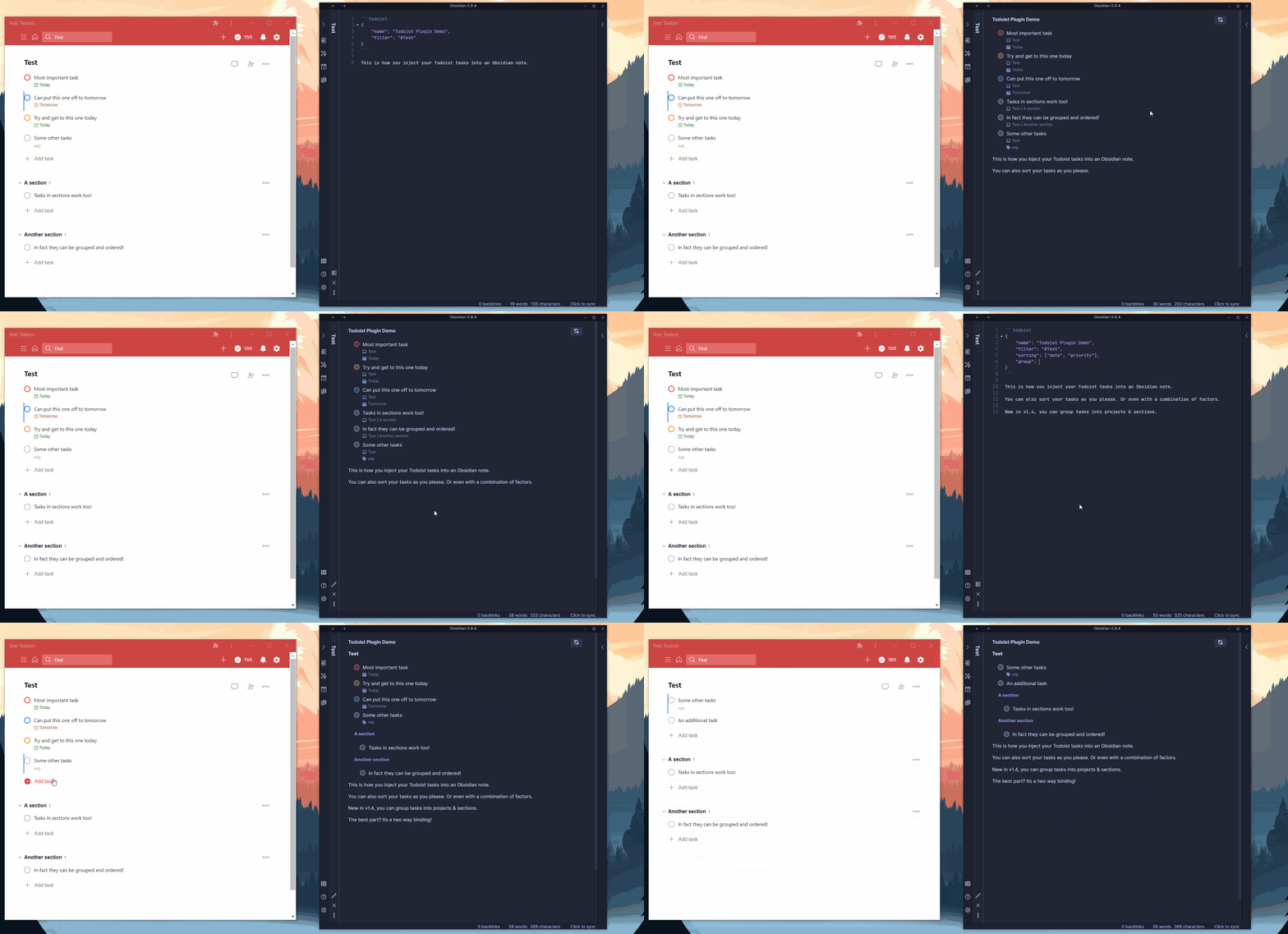
Credit: forum.obsidian.md
Key Features That Set Todoist Apart
Todoist stands out with features designed to boost productivity and simplify task management. Its smart design helps users handle daily tasks and complex projects with ease. Below are key aspects that make Todoist a preferred choice over other tools like Remember The Milk (RTM).
Modern, Intuitive Interface And Natural Language Processing
Todoist offers a clean, modern interface that feels natural and easy to use for everyone. The layout is simple, reducing clutter and helping users focus on their tasks. This simplicity suits both beginners and advanced users.
Its natural language processing lets users add tasks quickly. For example, typing "Meeting tomorrow at 3pm" automatically sets the task and reminder. This feature saves time and reduces errors in task entry.
Visual Task Management With Kanban Boards And Multiple Views
Todoist supports visual task management through Kanban boards, making it easy to track progress. Users can switch between:
- List view for detailed task lists
- Board view for drag-and-drop task organization
- Calendar view to see tasks by date
This flexibility helps users customize their workflow and see tasks in the way that fits them best.
Collaboration Tools And Cross-platform Accessibility
Todoist excels at teamwork with built-in collaboration tools. Users can:
- Share projects with others
- Assign tasks to team members
- Add comments and file attachments
Cross-platform support means Todoist works smoothly on:
- Windows and Mac
- iOS and Android
- Web browsers and browser extensions
This ensures tasks stay synced and accessible from anywhere.
Unique Strengths Of Remember The Milk (rtm)
Remember The Milk (RTM) stands out with features designed for users who want fast task entry, deep organization, and smart reminders. It offers tools that help manage complex task lists without stress. The app is perfect for those who juggle many tasks daily and want to stay on top efficiently.
Speed And Efficiency With Smart Add And Keyboard Shortcuts
RTM speeds up task entry with its Smart Add feature. Users can type tasks naturally, including due dates, priorities, tags, and more in one line. The app instantly understands and sets these details.
Keyboard shortcuts boost efficiency even more. Users can add, edit, or complete tasks without lifting their hands from the keyboard. This reduces time spent on managing tasks and keeps focus sharp.
- Smart Add: Quick natural language input.
- Keyboard Shortcuts: Fast navigation and task control.
Flexible Task Organization: Unlimited Subtasks And Deep Tagging
RTM allows unlimited subtasks, giving users the power to break down big tasks into manageable steps. This helps track progress clearly and avoids missing details.
Tags in RTM go beyond simple labels. They support deep tagging to group tasks by project, context, or priority. This flexibility makes finding and sorting tasks easier.
| Feature | Benefit |
|---|---|
| Unlimited Subtasks | Break tasks into detailed steps |
| Deep Tagging | Organize tasks with multiple labels |
Location-based Reminders And Highly Customizable Smart Lists
RTM offers location-based reminders. Tasks alert users when they arrive at or leave a place. This feature ensures important tasks are not forgotten in the right context.
Smart Lists are highly customizable filters that show tasks based on specific rules. Users can create lists for tasks due today, tasks with certain tags, or tasks of a specific priority. This customization helps users focus on what matters most.
- Location-Based Reminders: Alerts tied to places.
- Smart Lists: Custom task views with multiple conditions.
Pricing And Affordability Breakdown
Choosing the right task manager depends a lot on price and what you get for your money. Todoist and Remember The Milk (RTM) offer different pricing models. These models impact features and overall value. Understanding these helps pick the best option for your needs.
Todoist Pricing Tiers: Free Vs Pro Features And Value
Todoist provides two main tiers: Free and Pro.
- Free plan: Basic task management, 80 active projects, and 5 people per project.
- Pro plan: Costs $4/month (billed yearly). Offers reminders, labels, filters, and automatic backups.
The Pro plan adds tools for better organization and task tracking. It suits users wanting more control and productivity features.
Rtm’s Freemium Model: Feature Limitations And Paid Plans
Remember The Milk uses a freemium model with a Free and Pro tier.
- Free tier: Allows up to 250 tasks, no advanced features like subtasks or reminders.
- Pro plan: Costs $39.99/year. Offers unlimited tasks, subtasks, reminders, and integration with calendars.
The free version is quite functional but limits task quantity and lacks some advanced tools. The paid plan focuses on users with heavy task loads and complex needs.
Which Offers Better Value For Different User Types?
| User Type | Todoist | Remember The Milk (RTM) |
|---|---|---|
| Casual Users | Free version is simple and covers basic needs. | Free tier offers more task limits but fewer features. |
| Power Users | Pro plan is affordable with features like reminders and filters. | Pro plan is costlier but supports unlimited tasks and rich integrations. |
| Users Managing Repeating Tasks | Supports repeating tasks but with some limits in free plan. | Strong support for recurring and repeating tasks, especially in free tier. |
| Budget-Conscious Users | Pro plan at $4/month is budget-friendly. | Annual $39.99 fee may be high for some. |
Todoist offers a cheaper upgrade with useful productivity tools. RTM’s paid plan suits users needing heavy task management and calendar sync.
Pros And Cons Based On Real-world Usage
Choosing between Todoist and Remember The Milk (RTM) depends on how each app fits daily needs. Both apps have strong points and drawbacks that affect productivity and ease of use. Real users highlight differences in design, functionality, and pricing. The following sections break down these pros and cons for each tool.
Todoist Pros: Clean Ui, Versatile Views, And Robust Nlp
- Clean User Interface: Todoist offers a simple, modern layout that is easy to navigate.
- Versatile Views: Users can switch between list, board, and calendar views to suit different tasks.
- Robust Natural Language Processing (NLP): Adding tasks is fast using natural language, like “Meeting tomorrow at 3pm”.
- Cross-Platform Sync: Seamless syncing across devices keeps tasks updated everywhere.
- Collaboration Features: Share projects and assign tasks to team members with ease.
Todoist Cons: Limitations In Free Plan And Learning Curve
Todoist’s free plan limits access to key features, such as reminders and labels. This restricts productivity for users unwilling to upgrade.
The app has a slight learning curve due to many features. New users may need time to explore and use all options effectively.
- Free Plan Restrictions: No task reminders or filters on the free tier.
- Complexity for Beginners: Some features feel overwhelming at first.
- Advanced Features Locked: Recurring tasks and project templates require paid plans.
Rtm Pros: Fast Input, Powerful Keyboard Navigation, And Flexibility
- Fast Task Input: RTM lets users add tasks quickly, ideal for busy workflows.
- Powerful Keyboard Navigation: Navigate and manage tasks without using a mouse.
- Flexible Task Scheduling: Supports complex repeating tasks like weekly or monthly with ease.
- Smart Lists and Filters: Customize views to focus on priority or due tasks.
- Offline Access: Tasks remain accessible without internet connection.
Rtm Cons: Older Interface And Restricted Free Plan Features
RTM’s interface feels dated compared to modern apps like Todoist. This can affect user experience, especially for new users.
The free plan limits some advanced features, pushing users toward paid subscriptions.
- Outdated Design: The UI looks less polished and intuitive.
- Free Plan Limits: Many features, including unlimited task sharing, require payment.
- Learning Curve: Keyboard shortcuts and task management may confuse beginners.
Ideal Users And Use Case Recommendations
Choosing the right task manager depends on your work style and needs. Both Todoist and Remember The Milk (RTM) offer unique strengths. Understanding who benefits most from each tool helps you get the best results.
Who Should Choose Todoist: Visual Planners And Collaborative Teams
Todoist suits users who prefer a clear and visual way to organize tasks. It offers:
- Color-coded projects and priority levels
- Intuitive drag-and-drop task management
- Easy sharing and collaboration features
Teams benefit from Todoist’s real-time updates and comments. Visual planners appreciate its calendar integration and task reminders. It also supports users who want to track progress with simple, clean layouts.
Who Should Choose Rtm: Keyboard-driven Power Users And Task Speed Seekers
Remember The Milk (RTM) fits users who value speed and efficiency. It is ideal for:
- Keyboard shortcuts for fast task entry and navigation
- Managing many repeating tasks with ease
- Custom smart lists and filters for quick task views
RTM works well for users with heavy task loads, especially those handling weekly or monthly repeats. It appeals to power users who want to minimize clicks and maximize task control.
Scenarios Where Each Tool Excels In Task Management Mastery
| Scenario | Todoist | Remember The Milk (RTM) |
|---|---|---|
| Simple task tracking with visual priority | Excellent with color-coded tasks and clear layouts | Basic, less visual focus |
| Collaborative team projects | Strong real-time sharing and communication tools | Limited collaboration features |
| Handling many recurring tasks | Good, but less flexible for complex repeats | Outstanding with easy setup for repeats and reminders |
| Fast task entry and keyboard navigation | Moderate keyboard support | Superior keyboard shortcuts and quick commands |
| Customizing task views and filters | Basic filtering options | Advanced smart lists and filters |
Final Verdict: Todoist Vs Rtm For Mastering Task Management
Choosing between Todoist and Remember The Milk (RTM) depends on what suits your task habits best. Both tools help you organize tasks, but their strengths meet different needs. This final section breaks down their key differences, guides your choice, and offers tips for switching smoothly.
Summary Of Key Differences And User Benefits
| Feature | Todoist | Remember The Milk (RTM) |
|---|---|---|
| Task Management Style | Simple, clean design with powerful labels and filters | More functional free version with strong repeating task support |
| Repeating Tasks | Good support, but some features require Pro version | Excellent, easy to set weekly/monthly recurring tasks once |
| Interface | Intuitive, minimalistic, easy for ADHD and visual thinkers | Feature-rich but can feel complex to new users |
| Additional Features | Calendar view, reminders, task durations, automatic backups (Pro) | Strong task sorting, tagging, and smart lists in free version |
| Best For | Users wanting a clean, user-friendly app with upgrade options | Users needing advanced free task management with repeat tasks |
- Todoist suits users craving clarity and simplicity.
- RTM benefits users with many repeating or complex tasks.
- Both apps improve productivity but serve different productivity styles.
Making The Right Choice Based On Personal Productivity Style
Consider how you work with tasks. Do you prefer a straightforward app or a detailed planner?
- If you like minimal design and quick task capture, Todoist fits well.
- If you handle many repeating or scheduled tasks, RTM offers more free features.
- Visual thinkers or ADHD users may find Todoist’s clear layout easier.
- Users wanting deep customization without upgrading might prefer RTM.
Think about your daily workflow and choose the app that matches your style.
Tips For Transitioning Between Todoist And Rtm
- Export Your Data: Use export options to save tasks and projects.
- Organize Before Import: Clean up tasks and remove duplicates.
- Test Core Features: Try recurring tasks, reminders, and tags in the new app.
- Adjust Notifications: Set alerts to match your work habits.
- Use Tutorials: Follow guides or videos to learn new workflows.
- Give It Time: Allow a few weeks to adapt and explore new tools.
Switching task managers takes patience but improves focus and efficiency.

Credit: www.marktastic.com
Frequently Asked Questions
What Is The Difference Between Todoist And Rtm?
Todoist offers a modern interface with Kanban boards and natural language input. RTM focuses on speed with smart lists, keyboard shortcuts, and flexible task organization. Todoist suits visual users; RTM fits keyboard-driven users needing customizable reminders.
What Is The 1/3/5 Rule In Todoist?
The 1/3/5 rule in Todoist helps prioritize tasks daily: one big task, three medium tasks, and five small tasks. It boosts focus and productivity by limiting task overload. This simple method keeps your to-do list manageable and clear.
Is Todoist Still Worth It?
Todoist remains worth it for users seeking a clean interface, robust task management, and versatile views like Kanban. It boosts productivity with natural language input and collaboration tools. Its Pro version adds reminders, themes, and backups, enhancing organization and workflow for both personal and professional use.
Is Todoist Adhd Friendly?
Todoist suits ADHD users with its clean interface, quick task capture, and visual Kanban boards. It helps manage distractions effectively.
Conclusion
Choosing between Todoist and RTM depends on your needs and style. Todoist offers a clean, modern look with easy task input. RTM excels in speed and flexible task organization for power users. Both tools help manage tasks and boost productivity in different ways. For those who want a simple, visual planner, Todoist stands out. Explore Todoist’s features and see if it fits your workflow by visiting Todoist. Try it and find clarity in your daily tasks today.
